A well-organized USB flash drive makes file transfer, backup, searching, and sharing faster and easier. For personal users and B2B applications, a simple folder structure combined with reliable flash storage can significantly improve usability.
Recommended USB Folder Structure
| Folder | Recommended Content |
|---|---|
| 01_Documents | Word, Excel, PDF files |
| 02_Photos | JPG, PNG, RAW |
| 03_Videos | MP4, MOV, AVI |
| 04_Music | MP3, WAV, FLAC |
| 05_Backups | Computer and phone backups |
| 06_Projects | Work/project files |
| 07_Shared | Files for transfer |
Using numbers such as 01, 02, 03 keeps folders in a predictable order.
How to Organize Files Step by Step
| Step | Action |
|---|---|
| 1 | Connect the USB flash drive |
| 2 | Check available storage |
| 3 | Create main folders |
| 4 | Sort files by type or project |
| 5 | Use consistent file names |
| 6 | Remove duplicate files |
| 7 | Back up important data |
| 8 | Safely eject the USB drive |
Best File Naming Format
A consistent naming system makes files easier to find.
| Poor Example | Better Example |
|---|---|
| IMG1234.jpg | 2026-08-Project-A-001.jpg |
| final.docx | Product-Catalog-Final.docx |
| video1.mp4 | 2026-08-USB-Demo.mp4 |
| new.pdf | USB-Product-Specification.pdf |
Recommended format:Date + Project + Description + Version
Organize Files by Type or Project?
| Method | Best For |
|---|---|
| By File Type | Personal USB drives |
| By Project | Business users |
| By Customer | Sales/distribution |
| By Date | Photos and archives |
| By Department | Corporate USB drives |
For business use, project/customer-based folders are usually easier to manage than file-type-only folders.
Capacity Planning
| Capacity | Recommended Use |
|---|---|
| 32GB | Documents |
| 64GB | Documents + photos |
| 128GB | Photos + videos |
| 256GB | Large projects |
| 512GB | Professional media |
| 1TB+ | Large archives |
Avoid filling a USB flash drive completely. Keeping reasonable free space makes ongoing file management easier.
USB Speed and File Organization
File organization does not directly increase USB transfer speed, but hardware performance determines how quickly large folders can be copied.
| USB Standard | Typical Application |
|---|---|
| USB 2.0 | Documents |
| USB 3.2 Gen 1 | Everyday file transfer |
| USB 3.2 Gen 2 | Large files and video |
| USB-C | Modern computers and mobile devices |
| USB-C + USB-A | Multi-device environments |
For large file transfers, pay attention to real sustained write speed, not only the advertised read speed.
Why NAND Flash and Controller Matter
A USB flash drive is more than its connector and capacity.
| Component | Function |
|---|---|
| NAND Flash | Stores data |
| Controller | Manages flash memory and data |
| Firmware | Controls performance and compatibility |
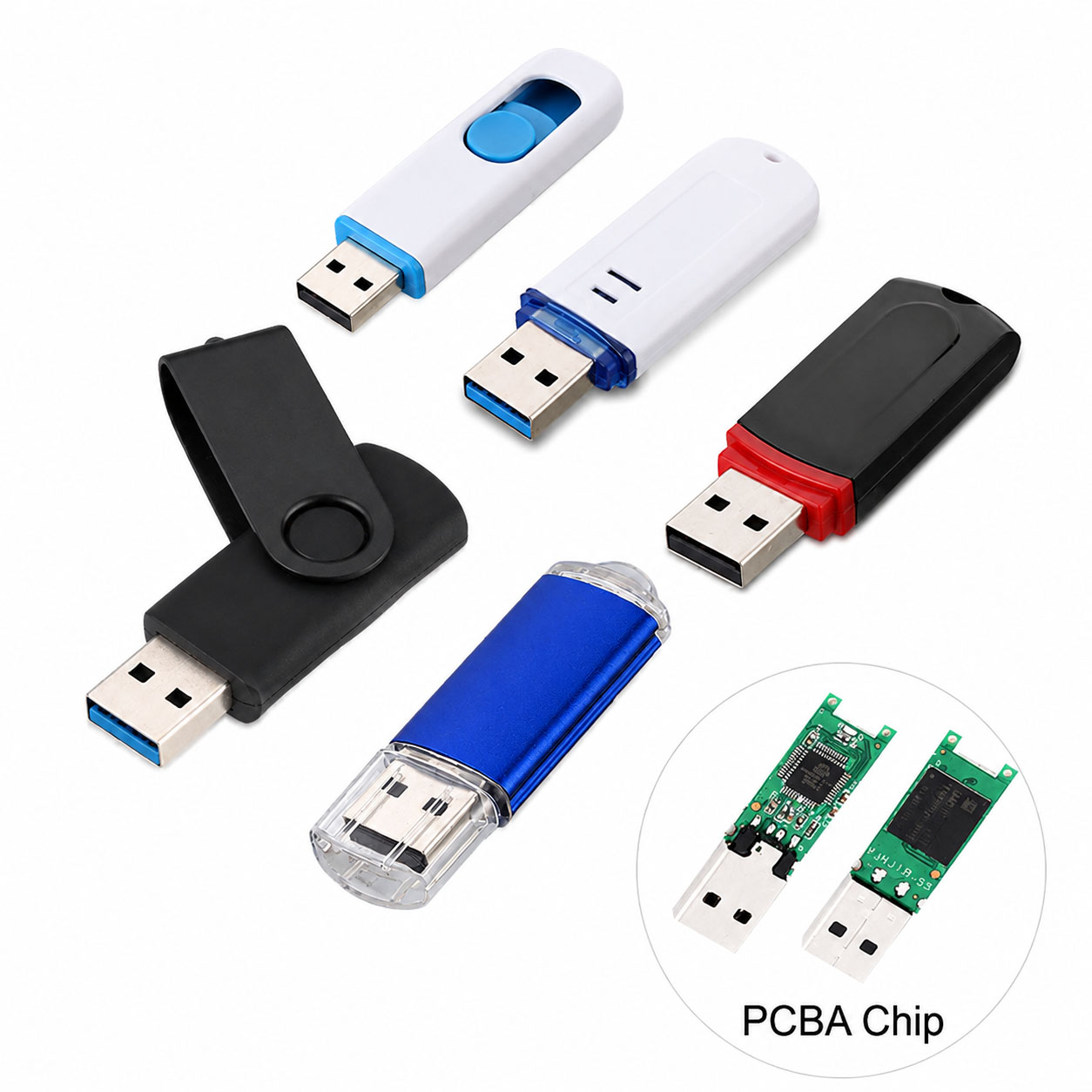
| PCB | Connects electronic components |
| USB Interface | Communicates with host devices |
| Housing | Protects internal components |
A properly matched NAND + controller platform helps improve performance consistency and production stability.
File System Selection
| File System | Windows | macOS | Recommended Use |
|---|---|---|---|
| FAT32 | ✓ | ✓ | Basic compatibility |
| exFAT | ✓ | ✓ | Windows + Mac |
| NTFS | ✓ | Read support | Windows-focused |
| APFS | Limited | ✓ | Mac-focused |
For a USB drive shared between Windows PCs and MacBooks, exFAT is often a practical choice, especially for files larger than 4GB.
USB Flash Drive Supply Chain Advantages
For distributors, wholesalers, and brands, reliable supply is as important as product specifications.
| Supply Chain Capability | Buyer Benefit |
|---|---|
| Stable NAND Sourcing | Consistent quality |
| Multiple NAND Options | Flexible cost/performance |
| Controller Selection | Application optimization |
| NAND-Controller Matching | Better stability |
| Factory Testing | Lower defect risk |
| Multiple Capacities | Flexible product range |
| Stable Production | Reliable repeat orders |
| Component Alternatives | Reduced supply risk |
An experienced storage supplier can coordinate NAND, controller, PCB, assembly, testing, and packaging as one supply chain.
USB Flash Drive OEM & ODM
USB flash drives are suitable for branded storage products, corporate projects, promotional products, and data-distribution applications.
| OEM/ODM Option | Available Choices |
|---|---|
| Logo | Printing / Laser engraving |
| Housing | Standard / Custom |
| Color | Custom |
| Capacity | 32GB–1TB+ depending on platform |
| Interface | USB-A / USB-C / Dual |
| Packaging | Box / Card / Blister |
| Data Preloading | Available for suitable projects |
| QC | Customer-defined requirements |
A professional OEM supplier can provide component sourcing → customization → production → testing → packaging → bulk delivery.
USB File Organization Checklist
| Check | Recommended |
|---|---|
| Clear Folder Structure | ✓ |
| Consistent File Names | ✓ |
| Remove Duplicates | ✓ |
| Keep Free Space | ✓ |
| Regular Backup | ✓ |
| File Verification | ✓ |
| Safely Eject | ✓ |
| Encrypt Sensitive Files | Recommended |
FAQ: Organizing Files on a USB Flash Drive
How should I organize files on a USB flash drive?
Create a small number of main folders such as Documents, Photos, Videos, Backups, and Projects, then use subfolders when necessary.
Should I organize USB files by date or type?
For personal files, organizing by type or date works well. For business files, organizing by project, customer, or department is usually more efficient.
How do I prevent duplicate files?
Use consistent file names, version numbers, and dates. Periodically review folders and remove unnecessary duplicates.
What file system is best for Windows and Mac?
exFAT is commonly a practical choice for sharing large files between Windows and macOS.
How much free space should I leave on a USB flash drive?
Avoid using the entire advertised capacity. Keeping some free space provides room for new files and easier file management.
Does organizing files improve USB transfer speed?
Not directly. Transfer performance mainly depends on the USB protocol, NAND flash, controller, host device, and file characteristics.
Can USB flash drives be customized?
Yes. OEM/ODM manufacturers can customize logo, housing, color, capacity, USB interface, packaging, data preloading, and QC requirements.
What should B2B buyers ask a USB flash drive manufacturer?
Ask about NAND source, controller, actual read/write speed, factory testing, MOQ, capacity options, OEM/ODM capability, production capacity, lead time, and supply stability.
Final Takeaway
The simplest way to organize a USB flash drive is:
Create clear folders → use consistent file names → remove duplicates → keep free space → back up important data.
For B2B buyers, selecting the right USB drive also requires attention to NAND quality, controller matching, real-world performance, factory QC, supply-chain stability, and OEM/ODM capabilities.