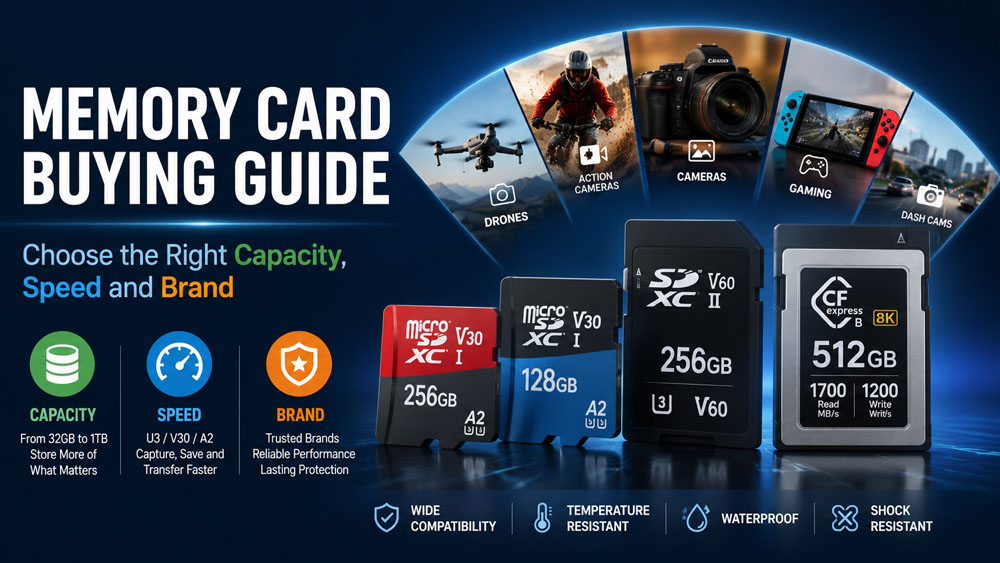
Choosing the right memory card isn’t just about buying the largest capacity or the fastest speed. Different devices—from smartphones and cameras to drones, dash cams, Nintendo Switch consoles, and surveillance systems—require different types of memory cards to achieve the best performance.
This comprehensive buying guide explains how to choose the ideal memory card based on capacity, speed class, application, and brand reliability, helping you avoid compatibility issues and maximize your storage investment.
What Is a Memory Card?
A memory card is a portable flash storage device used to save photos, videos, documents, games, and other digital files.
The most common formats include:
| Memory Card Type | Common Applications |
|---|---|
| microSD Card | Smartphones, drones, action cameras, Nintendo Switch |
| SD Card | DSLR cameras, camcorders, laptops |
| CFexpress Card | Professional cinema cameras |
| CompactFlash Card | Industrial and legacy cameras |
Today, microSD cards dominate the consumer market due to their compact size and broad compatibility.
Step 1: Choose the Right Storage Capacity
The first question to ask is:
How much storage do you actually need?
32GB Memory Card
Best for:
- Basic smartphones
- Dash cameras
- MP3 players
- Security cameras
Typical storage:
- 8,000 photos
- 5 hours of Full HD video
Suitable for users with light storage requirements.
64GB Memory Card
Best for:
- Everyday smartphone users
- Nintendo Switch
- Portable media devices
Typical storage:
- 16,000 photos
- 10 hours of Full HD video
This is one of the most popular capacities worldwide.
128GB Memory Card
Recommended for:
- 4K action cameras
- Drones
- Mirrorless cameras
- Android smartphones
Typical storage:
- 32,000 photos
- 20+ hours of Full HD video
- Several hours of 4K recording
For most users, 128GB offers the best balance between price and capacity.
256GB Memory Card
Ideal for:
- Professional photographers
- 4K/6K video recording
- Steam Deck
- Gaming consoles
Provides plenty of room for RAW images and high-bitrate videos.
512GB and 1TB Memory Cards
Designed for:
- Professional filmmakers
- Continuous surveillance recording
- Large game libraries
- Industrial applications
Higher capacities reduce the need for frequent file transfers but usually come at a higher cost.
Step 2: Understand Memory Card Speed Ratings
Capacity determines how much you can store, while speed determines how fast data can be written and read.
Many buyers overlook speed classes, leading to lag, recording failures, or slow file transfers.
Speed Class
| Symbol | Minimum Write Speed |
|---|---|
| Class 2 | 2 MB/s |
| Class 4 | 4 MB/s |
| Class 6 | 6 MB/s |
| Class 10 | 10 MB/s |
Today, Class 10 is considered the minimum recommendation for most modern devices.
UHS Speed Class
| Rating | Minimum Write Speed |
|---|---|
| U1 | 10 MB/s |
| U3 | 30 MB/s |
U3 cards are recommended for:
- 4K recording
- Drones
- Action cameras
- Professional photography
Video Speed Class
Designed specifically for high-resolution video recording.
| Rating | Minimum Sustained Write Speed |
|---|---|
| V30 | 30 MB/s |
| V60 | 60 MB/s |
| V90 | 90 MB/s |
Recommended:
- V30 → 4K Video
- V60 → 6K Video
- V90 → 8K Professional Recording
Application Performance Class
For smartphones and tablets:
| Rating | Best For |
|---|---|
| A1 | Standard Android apps |
| A2 | Faster app loading and gaming |
If you’re buying a microSD card for an Android phone, choosing an A2-rated card can improve app responsiveness.
Step 3: Match the Card to Your Device
Not every memory card is suitable for every device.
Smartphones
Recommended:
- 128GB–256GB
- A2
- U3
Ideal for storing:
- Photos
- Videos
- Apps
- Offline content
DSLR & Mirrorless Cameras
Recommended:
- 128GB or larger
- U3
- V30 or above
RAW photography and burst shooting benefit from faster write speeds.
Drones
Recommended:
- U3
- V30
- High-endurance models if used frequently
Slow cards can cause dropped frames or interrupted recording.
Dash Cams
Prioritize:
- High Endurance
- Heat resistance
- Continuous recording reliability
These cards are optimized for constant overwrite cycles.
Security Cameras
Choose:
- High Endurance
- Industrial-grade options for demanding environments
- Large capacity (128GB–512GB)
Continuous surveillance requires cards built for long-term durability.
Nintendo Switch
Recommended:
- 128GB–512GB
- U3
- Trusted brands
Digital games continue to grow in size, making larger capacities increasingly practical.
Step 4: Which Memory Card Brand Should You Choose?
Brand reputation affects reliability, consistency, and warranty support.
Some well-known manufacturers include:
- SanDisk
- Samsung
- Kingston
- Lexar
- KIOXIA
- Transcend
- TEAMGROUP
- Netac
For businesses and OEM/ODM projects, many manufacturers also provide:
- Custom logo printing
- Private label memory cards
- Capacity customization
- Packaging design
- Industrial-grade solutions
- Bulk wholesale supply
Choosing a supplier with strict quality control and stable flash memory sourcing helps ensure consistent performance across production batches.
Step 5: Avoid Counterfeit Memory Cards
Counterfeit cards remain a common issue in online marketplaces.
Before purchasing:
✔ Buy from authorized sellers.
✔ Verify the packaging and warranty information.
✔ Test the actual capacity using storage verification software.
✔ Compare read/write speeds with the manufacturer’s specifications.
If the price seems unusually low, it may indicate counterfeit or refurbished products.
How Much Storage Do You Really Need?
| Usage | Recommended Capacity |
|---|---|
| Casual Users | 64GB |
| Smartphones | 128GB |
| Photography | 128GB–256GB |
| 4K Video | 256GB |
| Drone Recording | 128GB–256GB |
| Gaming | 256GB–512GB |
| Surveillance | 256GB–1TB |
Frequently Asked Questions (FAQ)
Is 64GB enough for everyday use?
Yes. A 64GB memory card is suitable for basic photography, Full HD video recording, and daily smartphone use. However, if you frequently record 4K videos or install many apps, 128GB or more is recommended.
Is U3 better than U1?
Yes. U3 supports a minimum sustained write speed of 30 MB/s, making it more suitable for 4K video recording, drones, and high-speed photography than U1.
Can I use a larger memory card than my device recommends?
Only if your device officially supports that capacity. Always check the maximum supported capacity in your device’s specifications before purchasing.
Are expensive memory cards worth it?
For professional photography, video production, and continuous recording applications, premium cards often provide better reliability, faster speeds, and longer endurance. For everyday tasks, a mid-range card from a reputable brand is usually sufficient.
Final Thoughts
The best memory card depends on how you plan to use it. For most consumers, a 128GB or 256GB microSD card with U3, V30, and A2 ratings delivers an excellent balance of storage, speed, and value. Professionals recording high-resolution video should consider larger capacities and higher video speed classes, while surveillance and dash cam users should prioritize high-endurance models.
Whether you’re buying for personal use or sourcing products for OEM/ODM projects, focusing on capacity, speed, compatibility, durability, and supplier reliability will help you choose a memory card that performs consistently over the long term.