

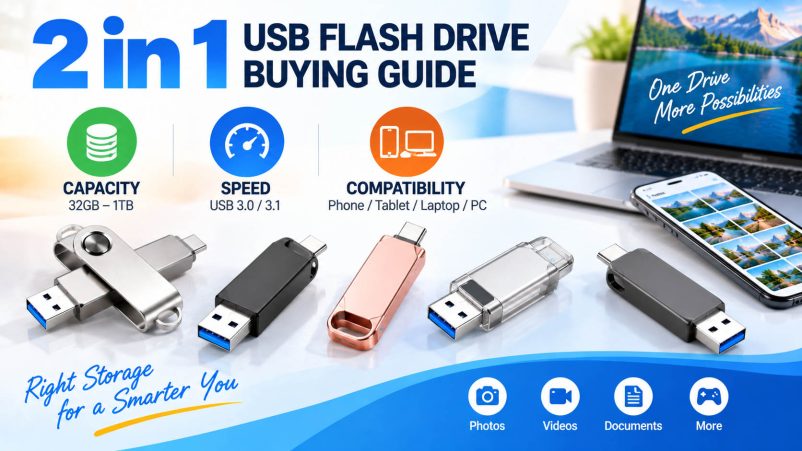
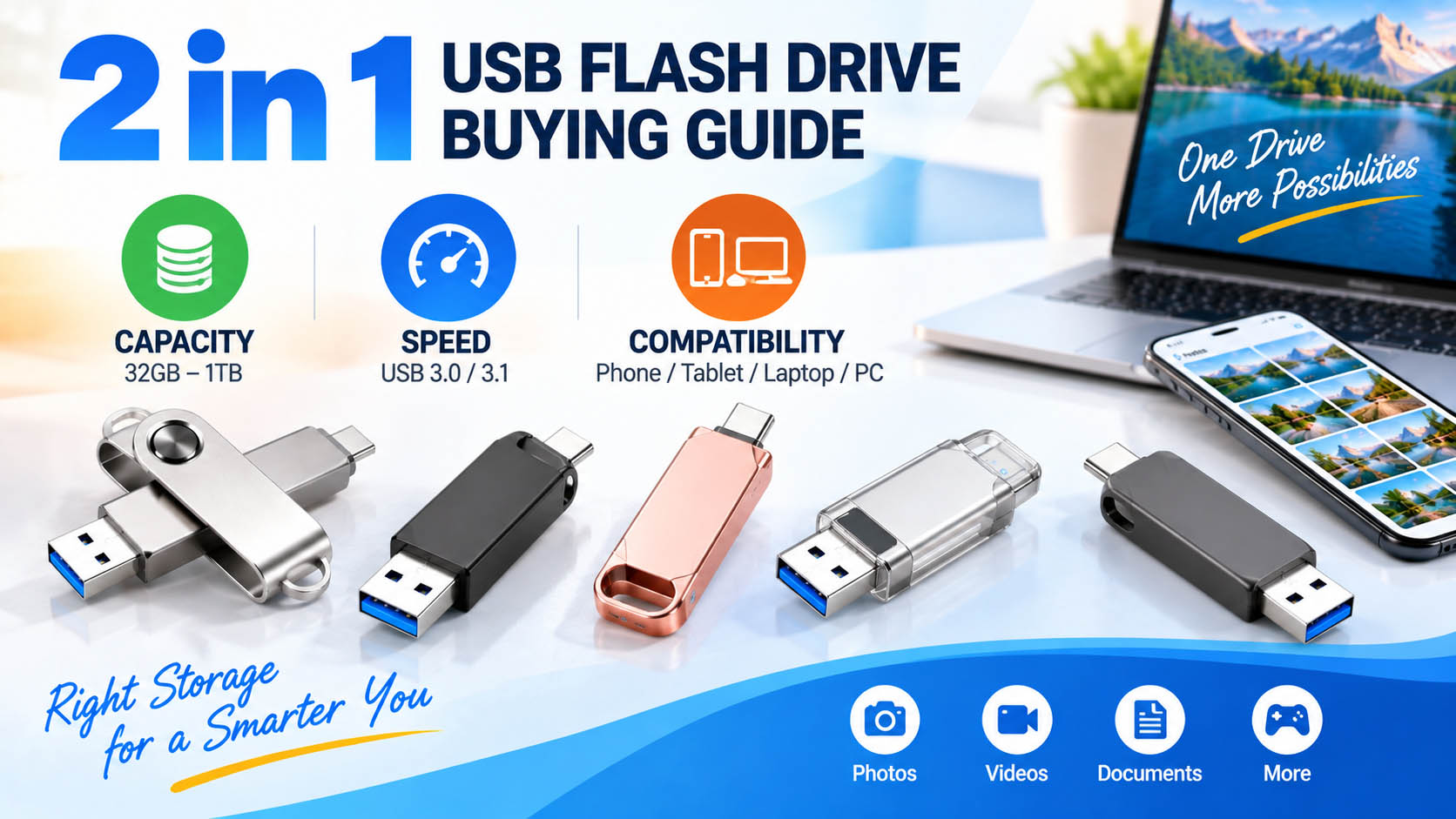
A 2 in 1 USB flash drive combines USB-A and USB-C connectors in one compact storage device. It is designed for easy file transfer between smartphones, tablets, laptops, desktops and other compatible devices.
For buyers, distributors and brands, the key factors are capacity, speed, compatibility, NAND flash quality and OEM flexibility.
2 in 1 USB Flash Drive: What Should You Check?
| Buying Factor | What to Look For | Best For |
|---|---|---|
| Capacity | 32GB–1TB+ | Documents, photos, videos |
| Interface | USB-A + USB-C | Cross-device transfer |
| Speed | USB 3.x preferred | Large files & videos |
| NAND Flash | Qualified, stable NAND | Reliable storage |
| Controller | Proper NAND matching | Performance & stability |
| Compatibility | Phone, tablet, PC support | Flexible applications |
| Housing | Metal or durable plastic | Daily/travel use |
| OEM | Logo, color, packaging | Branding & resale |
How to Choose the Right Capacity
Capacity should match the type and volume of files being transferred.
| Capacity | Recommended Application |
|---|---|
| 32GB | Documents, presentations |
| 64GB | Everyday file transfer |
| 128GB | Photos and mobile backup |
| 256GB | Photos + 4K video |
| 512GB | Large media libraries |
| 1TB+ | Professional and high-volume storage |
For general users, 128GB–256GB offers a practical balance between capacity and cost.
How Important Is USB Flash Drive Speed?
Speed matters most when transferring large files such as 4K videos, RAW photos and software packages.
| Specification | Recommendation |
|---|---|
| USB 2.0 | Basic file transfer |
| USB 3.0 / 3.1 | Faster everyday transfer |
| USB 3.x + quality NAND | Better for large files |
| High-speed controller | Useful for sustained workloads |
Important: A USB-C connector does not automatically mean higher speed. Actual performance depends on the USB specification, controller, NAND flash, firmware and host device.
Check Device Compatibility
A 2 in 1 USB drive should match the ports and operating systems used by your customers.
| Device | USB-A | USB-C | Key Check |
|---|---|---|---|
| Desktop PC | ✓ | Sometimes | USB port |
| Older laptop | ✓ | Sometimes | USB-A |
| New laptop | ✓ | ✓ | USB generation |
| Smartphone | Usually no | ✓ | OTG/data support |
| Tablet | Usually no | ✓ | External storage support |
For smartphones and tablets, USB OTG and file-management support should be confirmed for the specific device.
2 in 1 USB Flash Drive vs. Standard USB Drive
| Feature | 2 in 1 USB Flash Drive | Standard USB Drive |
|---|---|---|
| USB-A | ✓ | Usually ✓ |
| USB-C | ✓ | Usually limited |
| Phone transfer | Convenient | May require adapter |
| PC compatibility | High | High |
| Cross-device use | Excellent | Standard |
| Accessories | Fewer required | Adapter may be needed |
For users who frequently move files between USB-C phones and USB-A computers, a dual-interface drive provides a more convenient solution.
Storage Industry Considerations
For bulk purchasing, product quality depends on more than the advertised capacity.
| Component / Process | Why It Matters |
|---|---|
| NAND flash | Determines storage quality and endurance |
| Controller | Affects speed and stability |
| Firmware | Supports controller optimization |
| Capacity testing | Helps prevent fake-capacity products |
| Speed testing | Verifies product performance |
| Batch QC | Improves consistency |
| Compatibility testing | Reduces device-related issues |
An experienced storage supplier can coordinate NAND sourcing, controller matching, production, testing and quality control to improve batch consistency.
OEM & ODM Customization
A 2 in 1 USB flash drive can be customized for brands, wholesalers, distributors and promotional programs.
| OEM Item | Options |
|---|---|
| Logo | Printing, UV, laser engraving |
| Housing | Plastic, aluminum, customized shape |
| Color | Standard or custom colors |
| Capacity | 32GB–1TB+ |
| Label | Custom artwork |
| Packaging | Box, blister, retail packaging |
| Accessories | Lanyard, key ring, customized parts |
A complete OEM supply chain allows buyers to manage product design → NAND/controller selection → production → testing → packaging through one supplier.
Why Choose an Experienced USB Storage Supplier?
| Supply Chain Advantage | Customer Benefit |
|---|---|
| Stable NAND sourcing | More predictable supply |
| Controller matching | Better performance consistency |
| Capacity verification | Reduced fake-capacity risk |
| Speed testing | More reliable specifications |
| Batch QC | Consistent quality |
| OEM/ODM capability | Product differentiation |
| Custom packaging | Faster market launch |
| Flexible capacity | Multiple market segments |
FAQ
What is the best capacity for a 2 in 1 USB flash drive?
128GB or 256GB is suitable for many users. Choose 512GB or 1TB+ for large video and professional media files.
Is USB-C faster than USB-A?
Not necessarily. Connector type alone does not determine speed. USB generation, controller, NAND flash and the connected device all affect actual performance.
Can a 2 in 1 USB flash drive connect a phone and computer?
Yes. A USB-A + USB-C drive can connect to compatible phones and computers directly, reducing the need for a separate adapter.
Can I use it for phone photo backup?
Yes, provided the smartphone supports external USB storage/OTG. It is commonly used for photos, videos and document backup.
What speed should I choose for 4K video?
A USB 3.x-based drive with a suitable controller and quality NAND is recommended. For large files, also consider sustained write performance rather than peak read speed alone.
Can the drive be customized with my logo?
Yes. OEM options can include logo, housing, color, capacity, label, packaging and accessories, depending on the project and MOQ.
What should wholesalers check before placing a bulk order?
Check NAND source, controller, actual capacity, read/write performance, compatibility, QC process, MOQ, lead time and OEM capabilities.
Final Takeaway
When choosing a 2 in 1 USB flash drive, focus on three essentials: capacity, speed and compatibility. For commercial purchasing, also evaluate NAND quality, controller matching, testing and supply-chain stability.
For brands and distributors, an experienced OEM/ODM supplier can provide a complete solution from storage components and production to testing, customized design and packaging, helping create a reliable and differentiated USB storage product.





