

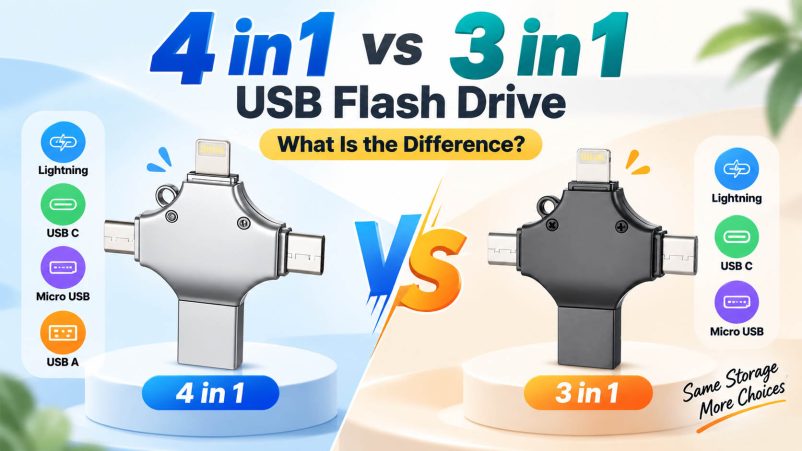
When a customer wants one flash drive for a phone, laptop and older devices, the connector configuration can matter as much as the storage capacity. This is where 3 in 1 and 4 in 1 USB flash drives come into the picture. Both are designed for multi-device file transfer, but the extra interface on a 4 in 1 drive can make a noticeable difference for mixed-device users and broader retail markets.
3 in 1 vs 4 in 1 USB Flash Drive
| Feature | 3 in 1 USB Flash Drive | 4 in 1 USB Flash Drive |
|---|---|---|
| Interfaces | 3 connectors | 4 connectors |
| Device coverage | Multi-device | Wider multi-device coverage |
| Common configuration | USB-A + USB-C + Lightning | USB-A + USB-C + Lightning + Micro USB |
| Phone backup | ✓ | ✓ |
| Computer file transfer | ✓ | ✓ |
| Older Android compatibility | Model dependent | More flexible |
| Product cost | Generally lower | Generally higher |
| Retail positioning | Practical | Universal / multi-device |
| OEM customization | Available | Available |
The exact connector combination varies by product, so buyers should always check the supplier’s specification sheet.
What Does “3 in 1” Mean?
A 3 in 1 USB flash drive combines three interfaces in one storage device. A common configuration is:
USB-A + USB-C + Lightning
It can be a practical choice for transferring photos, videos and documents between compatible mobile devices and computers without carrying separate adapters.
For a clearly defined customer group, three interfaces may already cover nearly all expected use cases.
What Does “4 in 1” Add?
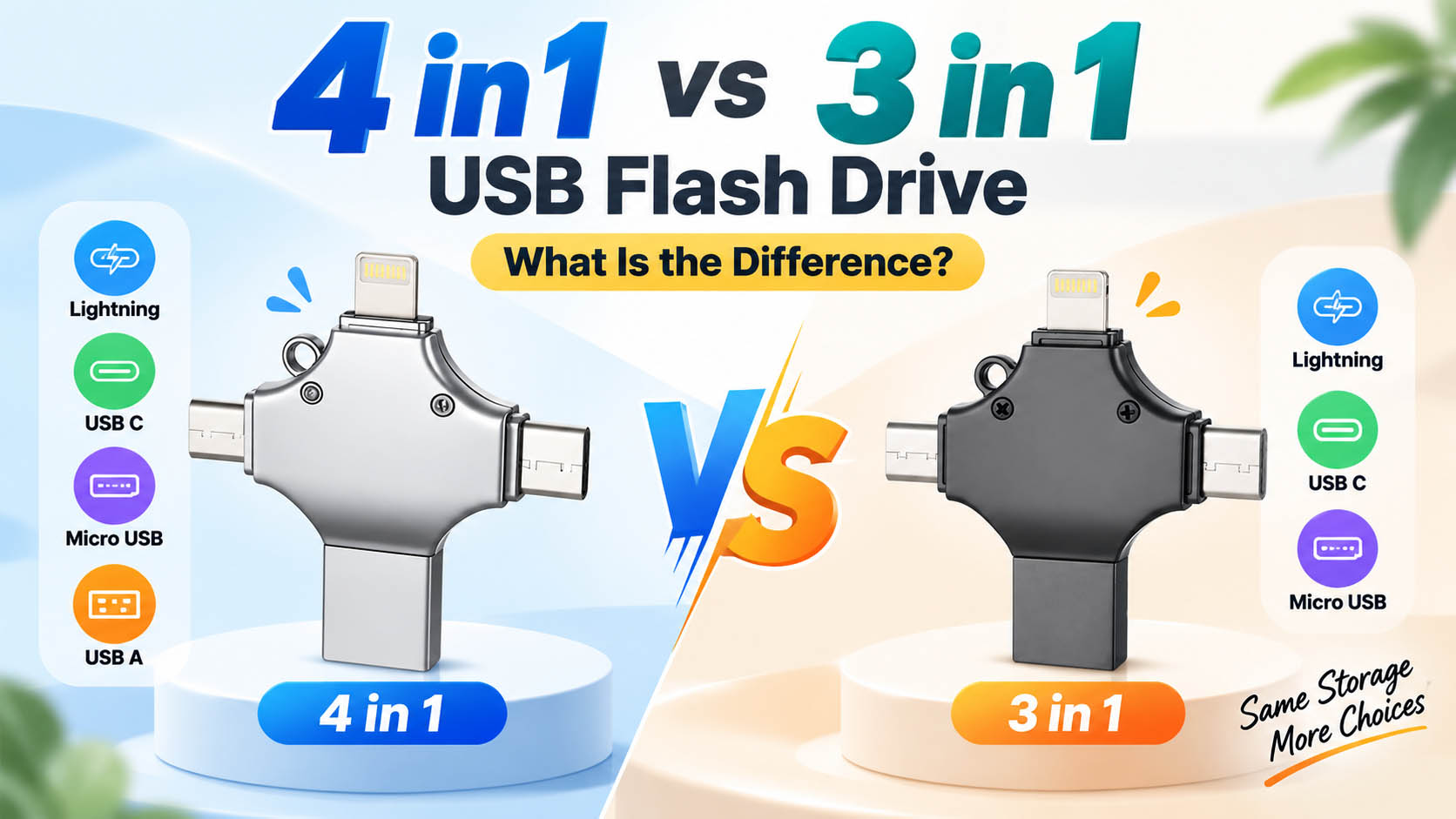
A 4 in 1 USB flash drive adds a fourth connector, commonly Micro USB.
That extra interface becomes useful when a product needs to serve both newer and older devices.
| Device Type | 3 in 1 | 4 in 1 |
|---|---|---|
| USB-A computer | ✓ | ✓ |
| USB-C laptop/phone | ✓ | ✓ |
| Compatible Lightning device | ✓ | ✓ |
| Micro USB device | Depends on configuration | ✓ |
For retailers selling to customers with different phones, tablets and computers, this broader coverage can make the 4 in 1 format easier to market.
Which One Offers Better File Transfer?
The number of connectors does not determine transfer speed.
Performance is influenced by the complete storage solution:
- NAND flash memory
- Controller
- USB interface
- Host device
- File size
- Operating system
- Read/write performance
A high-quality 3 in 1 USB flash drive can therefore perform better than a low-quality 4 in 1 model.
For B2B buyers, actual read/write testing is more meaningful than simply looking at the “3 in 1” or “4 in 1” label.
When Is a 3 in 1 USB Flash Drive a Better Fit?
A 3 in 1 model makes sense when the target market is relatively focused.
Typical scenarios include:
- iPhone and USB-C device users
- Mobile photo backup
- Everyday document transfer
- Promotional USB products
- Retail products where price is highly competitive
- Markets where Micro USB demand is limited
Fewer interfaces can also make the product easier to position as a compact, straightforward storage solution.
When Does 4 in 1 Make More Sense?
The additional interface becomes valuable when compatibility is the selling point.
A 4 in 1 USB flash drive is particularly suitable for:
- Mixed-device households
- Travel and mobile backup
- Retail and distribution
- Corporate giveaways
- Older Android devices
- Universal storage products
- International markets with different device generations
For a distributor, offering one broadly compatible SKU can also simplify product selection and inventory planning.
What Should Wholesale Buyers Compare?
The connector count is only one part of the purchasing decision.
| Purchasing Item | What to Evaluate |
|---|---|
| NAND flash | Source, grade and consistency |
| Controller | Stability and compatibility |
| Capacity | Actual usable capacity |
| Speed | Real read/write performance |
| Connector | Configuration and durability |
| Testing | Capacity, speed and interface testing |
| Housing | Material, finish and durability |
| Packaging | Retail or customized packaging |
| MOQ | Suitable for your sales volume |
| Lead time | Production and replenishment capability |
For repeat orders, batch-to-batch consistency deserves particular attention. A low quotation is less attractive if different production batches show noticeable differences in speed, capacity or reliability.
OEM and Private Label Options
Both 3 in 1 and 4 in 1 flash drives can be developed for OEM/ODM and private-label projects.
Depending on the production setup, customization may include:
- Logo printing
- Laser engraving
- Housing color
- Custom housing design
- Connector configuration
- Storage capacity
- Retail box
- Blister packaging
- Gift packaging
- Product labels
- Private-brand production
For brands entering the portable storage market, a 3 in 1 and 4 in 1 product can also be developed as two different product tiers rather than competing products.
3 in 1: practical and cost-conscious
4 in 1: broader compatibility and more universal positioning
3 in 1 or 4 in 1 for Different Markets?
| Target Market | Recommended Direction |
|---|---|
| Budget-focused retail | 3 in 1 |
| iPhone-focused accessories | 3 in 1 |
| General electronics retail | 4 in 1 |
| Mixed mobile-device users | 4 in 1 |
| Promotional products | Both |
| Wholesale distribution | 4 in 1 often has broader coverage |
| Premium multi-device product | 4 in 1 |
The best configuration should follow the devices your customers actually use rather than adding interfaces simply to increase the specification count.
FAQ
Is a 4 in 1 USB flash drive faster than a 3 in 1 drive?
Not necessarily. Transfer speed depends mainly on the flash memory, controller, interface and host device.
What is the most common 4 in 1 USB flash drive configuration?
A widely used configuration is USB-A, USB-C, Lightning and Micro USB, although manufacturers may offer other combinations.
Is a 3 in 1 flash drive enough for iPhone users?
It can be. If the drive includes a compatible Lightning interface and the required mobile functionality, three connectors may provide everything the user needs.
Does 4 in 1 mean more storage?
No. “4 in 1” describes the number of interfaces, not storage capacity. A 4 in 1 drive can be available in the same capacities as a 3 in 1 model.
Can Android phones use a 4 in 1 USB flash drive?
Compatible Android devices can use the appropriate USB interface, but support for USB OTG, the operating system and the specific phone model should be checked.
Can manufacturers customize 3 in 1 and 4 in 1 USB drives?
Yes. OEM projects can typically include custom branding, housing, colors, packaging, capacity and connector configurations, depending on the supplier’s production capabilities.
What should I ask a USB flash drive supplier before placing a bulk order?
Ask about NAND source, controller, actual capacity, read/write performance, interface testing, QC procedures, MOQ, lead time and OEM options. For larger programs, sample testing before mass production is recommended.
A Practical Choice for Buyers
If your customers mainly use three types of connections, a 3 in 1 USB flash drive keeps the product simple and cost-efficient. If your sales channels cover different device generations, the fourth interface can turn a standard multi-port flash drive into a more versatile retail product.
For OEM and wholesale programs, the stronger product is usually the one that combines the right connector configuration with reliable NAND, stable controllers, consistent production and flexible customization. That combination gives the product a better chance of performing well after it moves from the supplier’s warehouse to the end customer’s hands.





