Backing up important computer files to a USB flash drive is a simple offline way to protect documents, photos, videos, project files, and other valuable data.
For reliable backup, choose the right capacity, USB interface, NAND flash, controller, and file system, and always verify that the copied files can be opened.
What Files Should You Back Up?
| File Type | Priority |
|---|---|
| Work Documents | ★★★★★ |
| Photos & Videos | ★★★★★ |
| Financial Records | ★★★★★ |
| Project Files | ★★★★★ |
| Contacts | ★★★★☆ |
| Software Installers | ★★★☆☆ |
| Temporary Files | ★☆☆☆☆ |
How to Back Up Files to a USB Flash Drive
| Step | Action |
|---|---|
| 1 | Connect the USB flash drive |
| 2 | Check available capacity |
| 3 | Create backup folders |
| 4 | Select important files |
| 5 | Copy files to the USB drive |
| 6 | Wait until transfer is complete |
| 7 | Open several files to verify them |
| 8 | Safely eject the USB drive |
Tip: Do not remove the USB flash drive during data transfer.
Recommended Backup Capacity
| Capacity | Suitable For |
|---|---|
| 32GB | Documents |
| 64GB | Documents + photos |
| 128GB | Photos + videos |
| 256GB | Large personal backups |
| 512GB | Professional files |
| 1TB+ | Large media archives |
Choose a capacity with 20–30% free space when possible to make future backups easier.
Best USB Interface for Backup
| USB Standard | Recommended Use |
|---|---|
| USB 2.0 | Basic documents |
| USB 3.2 Gen 1 | Everyday backups |
| USB 3.2 Gen 2 | Large files and video |
| USB-C | Modern laptops and MacBooks |
| USB-C + USB-A | Mixed-device environments |
For frequent backups, prioritize real sustained write speed, not only the advertised read speed.
File System Selection
| File System | Windows | macOS | Best Use |
|---|---|---|---|
| FAT32 | ✓ | ✓ | Basic compatibility |
| exFAT | ✓ | ✓ | Windows + Mac |
| NTFS | ✓ | Read support | Windows-focused |
| APFS | Limited | ✓ | Mac-focused |
exFAT is often a practical choice for a USB flash drive used between Windows PCs and MacBooks, especially when storing files larger than 4GB.
USB Flash Drive Backup Checklist
| Check | Why It Matters |
|---|---|
| Capacity | Prevents storage shortages |
| Write Speed | Reduces backup time |
| NAND Quality | Supports reliability |
| Controller | Manages flash and data |
| File System | Ensures compatibility |
| Error Testing | Helps identify defective drives |
| Data Verification | Confirms successful backup |
Why NAND Flash and Controller Quality Matter
In the storage industry, USB backup performance depends on the complete hardware platform.
| Component | Function |
|---|---|
| NAND Flash | Stores data |
| Controller | Manages data and flash memory |
| Firmware | Controls performance and compatibility |
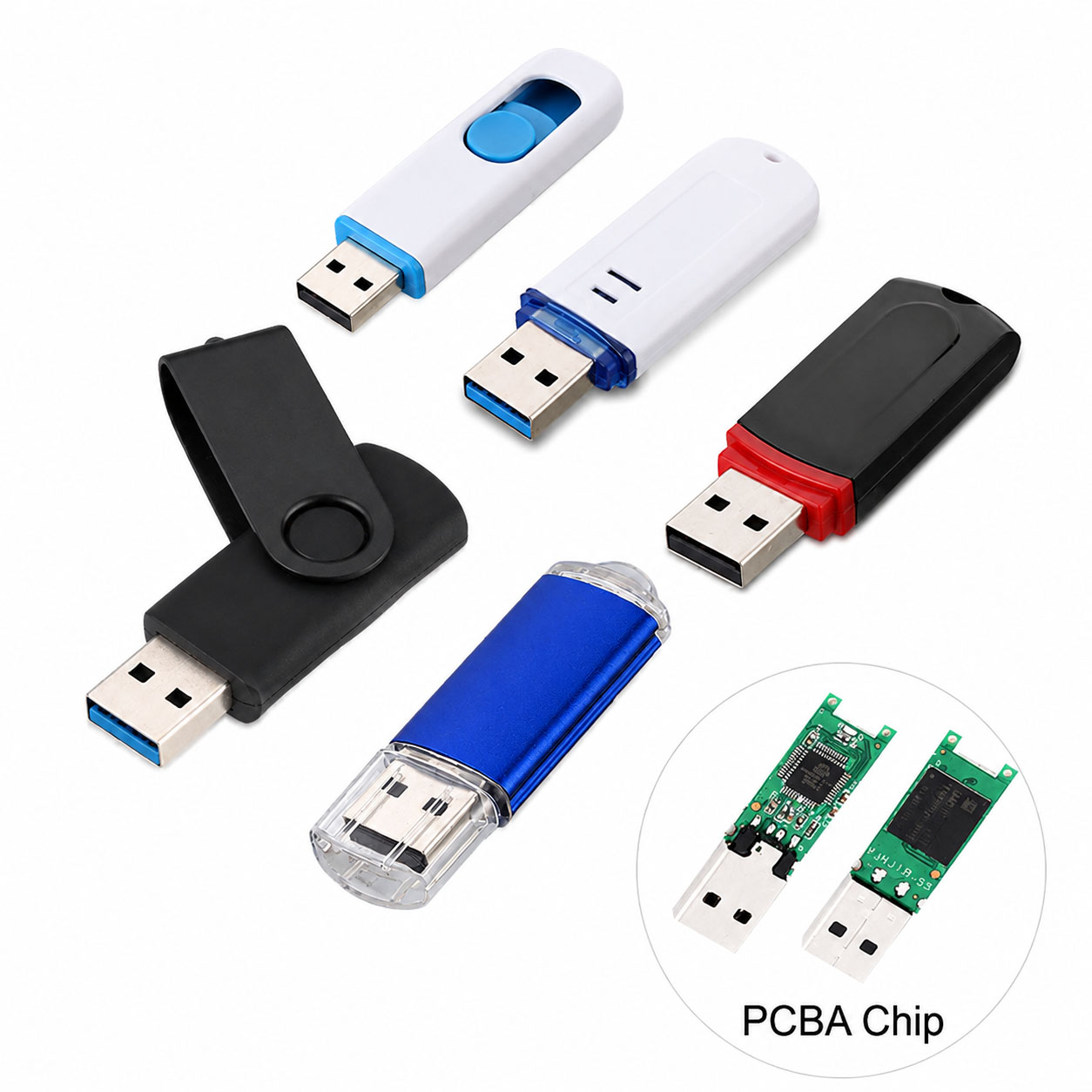
| PCB | Connects components |
| USB Interface | Communicates with the computer |
| Housing | Protects internal components |
A properly matched NAND + controller can improve performance consistency and reduce quality variation between production batches.
USB Flash Drive Supply Chain Advantages
For distributors, wholesalers, and business buyers, supply-chain stability is critical for long-term USB flash drive procurement.
| Supply Chain Capability | Buyer Benefit |
|---|---|
| Stable NAND Sourcing | Consistent quality |
| Controller Selection | Flexible performance/cost |
| NAND-Controller Matching | Better stability |
| Factory Testing | Lower defect risk |
| Multiple Capacities | Flexible product range |
| Stable Production | Reliable repeat orders |
| Component Alternatives | Reduced supply risk |
A strong supplier can optimize the complete NAND + controller + PCB + connector + housing + packaging solution.
USB Flash Drive OEM & ODM
USB flash drives can be customized for brands, distributors, corporate gifts, and data-distribution projects.
| OEM/ODM Option | Customization |
|---|---|
| Logo | Printing / Laser engraving |
| Housing | Standard / Custom |
| Color | Custom |
| Capacity | 32GB–1TB+ depending on platform |
| Interface | USB-A / USB-C / Dual |
| Packaging | Box / Card / Blister |
| Data Preloading | Available for suitable projects |
| QC | Customer-defined requirements |
An experienced OEM manufacturer can integrate component sourcing, production, testing, packaging, and bulk delivery.
How to Protect Your Backup
| Practice | Recommendation |
|---|---|
| Keep Multiple Copies | Recommended |
| Verify Backups | Always |
| Safely Eject | Always |
| Store Separately | Recommended |
| Encrypt Sensitive Data | Recommended |
| Update Backups | Regularly |
| Avoid Full Capacity | Keep free space |
For important business or personal data, follow the 3-2-1 backup principle: keep 3 copies of data, on 2 different storage types, with 1 copy stored separately.
How to Choose a USB Flash Drive Supplier
| Requirement | What to Check |
|---|---|
| NAND | Source and quality |
| Controller | Model and compatibility |
| Speed | Actual read/write testing |
| Capacity | Available options |
| QC | Factory testing process |
| MOQ | Minimum order quantity |
| OEM | Customization capabilities |
| Supply | Long-term component stability |
| Lead Time | Production schedule |
| Cost | Total landed cost |
For B2B procurement, compare quality + performance + supply stability + OEM service, rather than choosing solely by unit price.
FAQ: USB Flash Drive Backup
Is a USB flash drive good for computer backups?
Yes. USB flash drives are convenient for offline copies of documents, photos, videos, and other important files.
How much storage do I need for a backup?
Choose a drive larger than the data you need to back up. 128GB–256GB is suitable for many personal backups, while larger media collections may require 512GB or more.
Is USB 3.0 fast enough for backups?
Yes. USB 3.x provides substantially better bandwidth than USB 2.0 and is suitable for most everyday backups.
Should I use USB-C or USB-A?
Use USB-C for modern laptops and MacBooks. Choose USB-A for legacy computers, or a dual USB-C + USB-A drive for maximum flexibility.
Can I use one USB drive for Windows and Mac?
Yes. exFAT is a common cross-platform choice, particularly when transferring large files.
Should I verify files after backup?
Yes. Open important files or use a file comparison/checksum method to confirm that the backup completed correctly.
Is a USB flash drive a permanent backup?
It should not be your only backup. Flash drives are best used as one part of a broader backup strategy with additional copies.
Can USB flash drives be OEM customized?
Yes. OEM/ODM manufacturers can customize logos, housing, colors, capacity, interface, packaging, and QC requirements.
What should bulk buyers ask a USB flash drive manufacturer?
Ask about NAND source, controller, actual write speed, testing standards, capacity options, MOQ, production capacity, OEM capability, lead time, and supply stability.
Final Takeaway
Backing up computer files to a USB flash drive is simple: connect → copy → verify → safely eject.
For reliable long-term use, select the right capacity, USB interface, file system, NAND, and controller. For B2B buyers, a supplier with stable storage sourcing, factory QC, consistent production, and OEM/ODM capabilities can provide better quality and supply security.