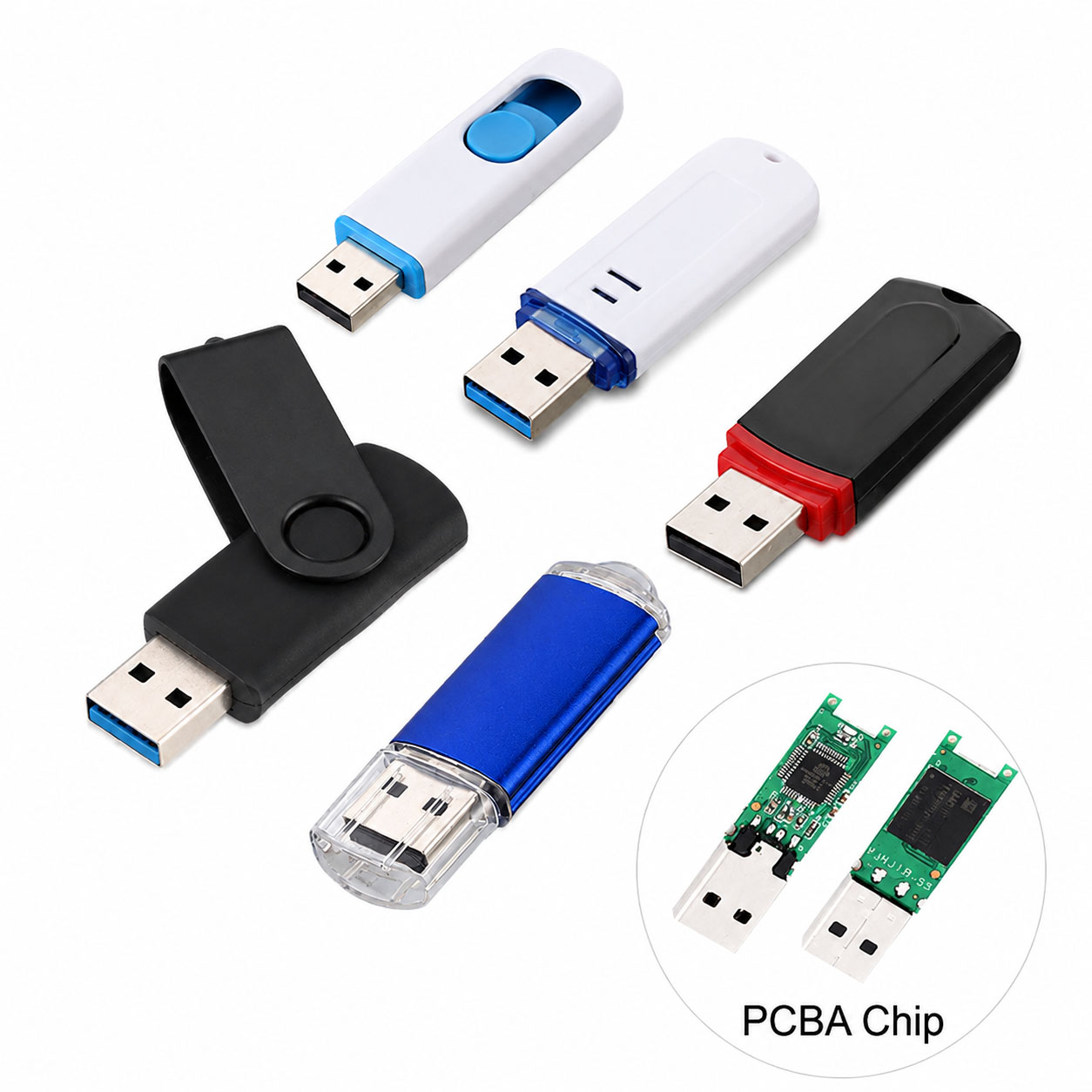
Choosing a USB flash drive for fast file transfer is not simply about selecting a large capacity. USB interface, NAND flash quality, controller performance, real-world write speed, and supply-chain stability all affect transfer performance.
For businesses, distributors, brands, and OEM buyers, the right USB flash drive should balance speed, capacity, reliability, customization, and cost.
Key Factors for Fast USB File Transfer
| Factor | What to Check | Impact on Speed |
|---|---|---|
| USB Interface | USB 3.0, USB 3.2 Gen 1/Gen 2 | High |
| NAND Flash | Quality NAND with stable performance | High |
| Controller | Matching controller and NAND | High |
| Read Speed | 100–500+ MB/s depending on model | High |
| Write Speed | Important for large file transfers | Very High |
| Capacity | 32GB–1TB+ | Medium |
| File Type | Large files transfer faster than many small files | Medium |
| Host Device | PC, laptop, TV, industrial device, etc. | High |
Tip: A USB flash drive advertised with a high read speed may still have a much lower write speed. For frequent file uploads, videos, backups, or software deployment, prioritize sustained write performance.
USB Interface Comparison
| USB Type | Typical Performance | Best For |
|---|---|---|
| USB 2.0 | Up to 480 Mbps theoretical | Basic documents |
| USB 3.0 / 3.2 Gen 1 | Up to 5 Gbps theoretical | Daily file transfer |
| USB 3.2 Gen 2 | Up to 10 Gbps theoretical | Large files and professional use |
| USB Type-C | Connector type | Modern laptops and phones |
USB 3.x is generally the better choice when fast file transfer is the priority. However, the actual transfer speed depends on the flash memory, controller, device, file size, and host interface, not the USB label alone.
Read Speed vs. Write Speed
| Specification | Meaning | Importance |
|---|---|---|
| Read Speed | Speed of copying files from USB to device | High |
| Write Speed | Speed of copying files to USB | Very High |
| Sustained Speed | Long-term transfer performance | Critical for large files |
| Random Speed | Performance with many small files | Important for mixed workloads |
For example, a drive rated at 200 MB/s read and 50 MB/s write may feel fast when opening files but significantly slower when backing up large amounts of data.
Recommended USB Flash Drive by Application
| Application | Recommended Interface | Suggested Capacity |
|---|---|---|
| Office Documents | USB 3.0 | 32GB–64GB |
| Photos | USB 3.0+ | 64GB–128GB |
| 4K Video | USB 3.2 | 128GB–512GB |
| Large File Backup | USB 3.2 Gen 2 | 256GB–1TB+ |
| Business Data Distribution | USB 3.0/3.2 | 32GB–256GB |
| Promotional USB Drives | USB 2.0/3.0 | 8GB–64GB |
| Industrial Applications | Industrial-grade NAND | Application dependent |
Capacity Selection Guide
| Capacity | Suitable Use |
|---|---|
| 16GB | Documents, promotional content |
| 32GB | Office files and basic backup |
| 64GB | Photos, documents, media |
| 128GB | Video and large file storage |
| 256GB | Professional backup and media |
| 512GB+ | Large-scale data storage |
More capacity does not automatically mean higher transfer speed. For fast file transfer, interface and sustained write performance are often more important.
Why NAND Flash Quality Matters
USB flash drive performance depends heavily on the NAND flash and controller combination.
| NAND Consideration | Benefit |
|---|---|
| Stable NAND sourcing | Consistent product quality |
| Proper NAND-controller matching | Better performance |
| Reliable flash testing | Lower failure risk |
| Supply-chain traceability | More predictable procurement |
| Batch consistency | Easier mass production |
A low-cost USB drive may use different flash components between batches, causing variations in speed and endurance. For commercial procurement, consistent components and quality control are as important as the advertised speed.
Supply Chain Advantages for Bulk USB Flash Drive Buyers
For wholesalers, distributors, retailers, and project buyers, a strong supply chain can improve both product consistency and purchasing efficiency.
| Supply Chain Advantage | Customer Benefit |
|---|---|
| Direct NAND sourcing | Better cost control |
| Stable controller supply | Consistent performance |
| Multiple capacity options | Flexible product portfolio |
| Factory-level testing | Better quality control |
| Production capacity | Supports large orders |
| Component alternatives | Reduces supply disruption |
| Batch management | Better consistency |
| Flexible packaging | Supports different markets |
A reliable supplier can help buyers optimize the NAND + controller + PCB + housing + packaging combination instead of simply offering a standard USB drive.
USB Flash Drive OEM & ODM Capabilities
For brands and distributors, OEM USB flash drives provide more flexibility than standard retail products.
| OEM Option | Customization |
|---|---|
| Logo | Laser engraving, printing |
| Housing | Custom colors and materials |
| Shape | Standard or custom housing |
| Capacity | 8GB–1TB+ depending on platform |
| USB Interface | USB 2.0 / USB 3.x / Type-C |
| Packaging | Custom boxes, cards, bags |
| Firmware | Customized according to application |
| Data Preloading | Optional |
| Product Testing | Customized QC requirements |
A professional USB flash drive manufacturer can provide OEM/ODM design, component sourcing, production, testing, packaging, and bulk delivery in one supply chain.
How to Choose a USB Flash Drive Supplier
| Buyer Requirement | What to Ask the Supplier |
|---|---|
| Fast transfer | Actual read/write test results |
| Stable quality | NAND and controller specifications |
| Bulk purchase | MOQ and production capacity |
| OEM project | Customization options |
| Long-term supply | Component sourcing stability |
| Quality control | Factory testing process |
| Cost optimization | Capacity and component alternatives |
| Global shipment | Packaging and export experience |
Do not compare suppliers based only on unit price. Compare actual performance, component quality, defect rate, production consistency, MOQ, lead time, and after-sales support.
Quick Buying Checklist
Before ordering a fast USB flash drive, check:
| Checklist | Priority |
|---|---|
| USB 3.0 or faster | ★★★★★ |
| Real write speed | ★★★★★ |
| NAND quality | ★★★★★ |
| Controller compatibility | ★★★★☆ |
| Sustained transfer performance | ★★★★★ |
| Capacity | ★★★★☆ |
| OEM capability | ★★★★☆ |
| Supply stability | ★★★★★ |
| Quality testing | ★★★★★ |
| Total landed cost | ★★★★★ |
FAQ About Fast USB Flash Drives
What is the fastest USB flash drive?
The fastest USB flash drives generally use USB 3.2 Gen 2 or faster interfaces, high-performance NAND, and optimized controllers. Actual performance varies by model and host device.
Is USB 3.0 fast enough for large files?
Yes. USB 3.0/USB 3.2 Gen 1 is sufficient for many daily file-transfer applications, including documents, photos, videos, and backups.
Is write speed more important than read speed?
For copying data to the USB drive, yes. Write speed is especially important for video files, backups, software packages, and other large datasets.
Does USB Type-C mean faster transfer?
Not necessarily. Type-C describes the connector, while transfer speed depends on the USB protocol and internal hardware.
Why does my USB flash drive transfer slowly?
Common causes include a slower USB port, poor-quality NAND, low write performance, small files, thermal throttling, controller limitations, or an incompatible host device.
How can I verify USB flash drive speed?
Use real-world testing with large files and benchmark tools. For commercial orders, request factory test reports or sample testing before mass production.
Can USB flash drives be customized with a logo?
Yes. OEM USB flash drives can commonly support logo printing, laser engraving, custom housing, colors, packaging, capacity, and other specifications.
What is the best USB flash drive for bulk orders?
For bulk procurement, the best option is usually one that offers a balance of stable NAND supply, reliable controllers, verified transfer speed, competitive pricing, consistent quality, and OEM flexibility.
Final Takeaway
To choose a USB flash drive for fast file transfer, focus on USB interface + real write speed + NAND quality + controller performance + sustained performance rather than capacity or advertised read speed alone.
For OEM and wholesale buyers, supplier capability is equally important. A strong storage supply chain, factory testing system, component sourcing network, and OEM/ODM production capability can help deliver faster, more consistent, and more cost-effective USB flash drives for long-term business needs.