Safely removing a USB flash drive helps prevent file corruption, incomplete transfers, and filesystem errors. The safest practice is simple: finish all file operations → eject the drive → remove it.
Why Should You Safely Eject a USB Flash Drive?
| Risk | Possible Result |
|---|---|
| Removing During File Transfer | Corrupted or incomplete files |
| Removing During Write Operation | Data loss |
| Open Files | File access errors |
| Filesystem Activity | Filesystem corruption |
| Sudden Disconnection | Unstable storage state |
Even when a transfer appears finished, the operating system may still be writing data to the USB drive.
How to Safely Remove a USB Flash Drive
| Device | Recommended Steps |
|---|---|
| Windows PC | Close files → Click USB/Eject → Remove drive |
| MacBook / Mac | Close files → Drag drive to Trash/Eject → Remove |
| Android Phone | Open storage settings → Unmount/Eject → Remove |
| Chromebook | Open Files → Eject USB drive → Remove |
| Other Devices | Use the device’s Eject/Unmount function |
Golden rule: Never physically unplug the drive while files are being copied, moved, deleted, or saved.
Safe Removal Checklist
| Check | Status |
|---|---|
| File transfer completed | ✓ |
| Files are closed | ✓ |
| No application is using the drive | ✓ |
| Eject/Unmount completed | ✓ |
| USB activity has stopped | ✓ |
| Drive can be physically removed | ✓ |
What If the USB Drive Cannot Be Ejected?
| Situation | Recommended Action |
|---|---|
| File still open | Close the file |
| Explorer/Finder using drive | Close the window |
| Background software accessing drive | Wait or close the application |
| Antivirus scanning | Wait until scanning finishes |
| Copy process running | Let it finish |
| Still unavailable | Restart the computer if necessary |
Do not repeatedly pull the USB drive out while the system is still accessing it.
Does Safe Ejection Improve USB Flash Drive Lifespan?
Safe ejection does not directly increase NAND flash endurance, but it can reduce the risk of interrupted writes and filesystem corruption.
| Factor | Impact |
|---|---|
| NAND Quality | Storage reliability |
| Controller Quality | Data management |
| Firmware | Flash management |
| Write Cycles | NAND endurance |
| Safe Ejection | Reduces interrupted operations |
| Physical Handling | Connector/housing durability |
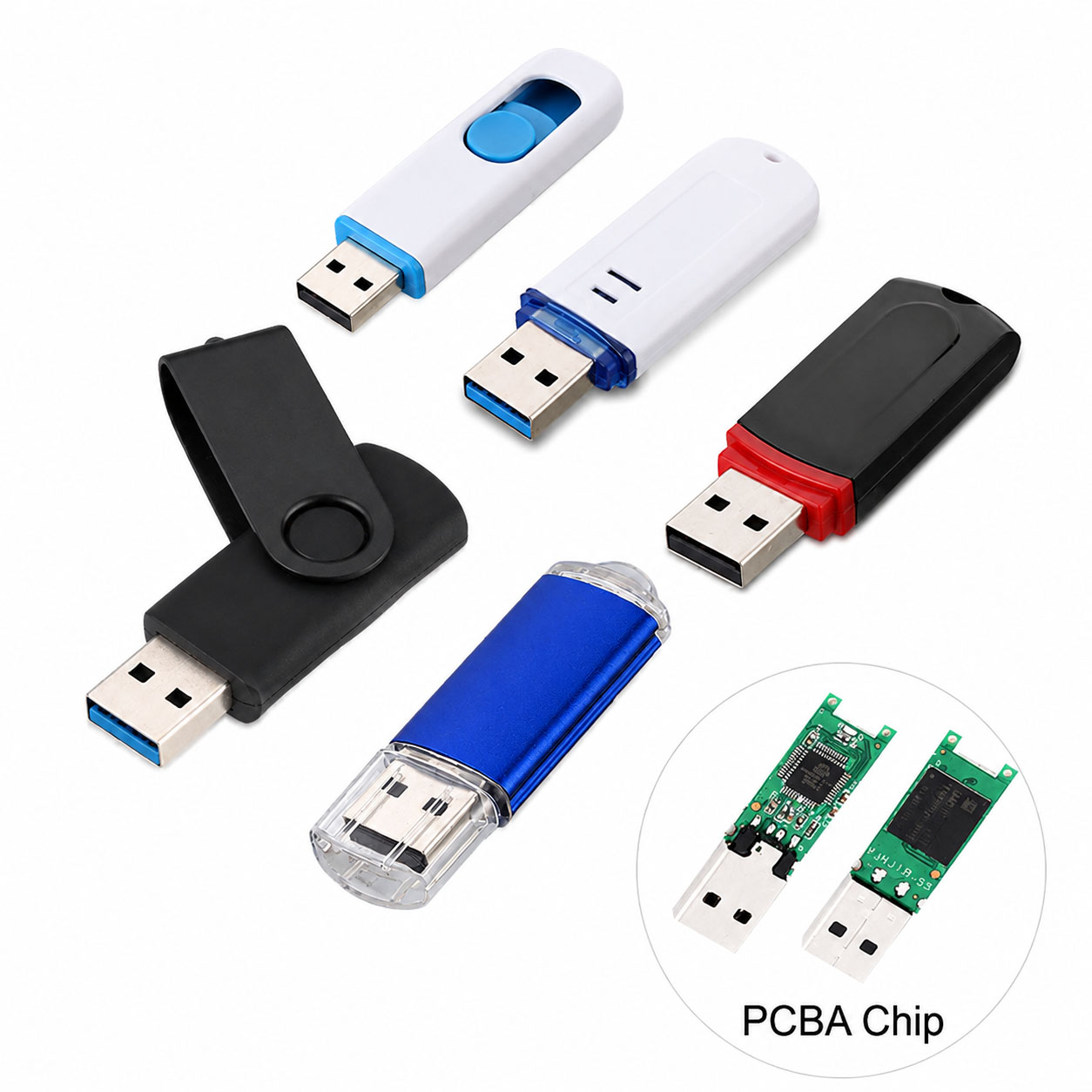
A reliable USB flash drive depends on the complete NAND + controller + firmware + PCB + housing design.
Why NAND and Controller Quality Matter
| Component | Function |
|---|---|
| NAND Flash | Stores user data |
| Controller | Manages flash operations |
| ECC | Helps correct certain errors |
| Firmware | Controls data management |
| PCB | Electrical connection |
| USB Interface | Data communication |
| Housing | Physical protection |
For B2B products, stable component matching and factory testing are important for consistent performance.
USB Flash Drive Supply Chain Advantages
A professional storage supplier should provide more than a finished USB shell.
| Supply Chain Capability | Buyer Benefit |
|---|---|
| Stable NAND Sourcing | Consistent quality |
| Controller Selection | Performance optimization |
| NAND + Controller Matching | Better stability |
| Firmware Management | Consistent operation |
| Factory Testing | Lower defect risk |
| Capacity Verification | Reliable actual capacity |
| Batch QC | Consistent mass production |
| Stable Components | Better long-term supply |
An integrated supply chain can cover:
NAND → Controller → PCB → Assembly → Testing → Packaging → Delivery
USB Flash Drive OEM & ODM
USB flash drives can be customized for retail, corporate, promotional, and industrial applications.
| OEM / ODM Option | Available Choices |
|---|---|
| Logo | Printing / Laser engraving |
| Housing | Standard / Custom |
| Color | Custom |
| Capacity | 32GB–1TB+ depending on platform |
| Interface | USB-A / USB-C / Dual |
| Packaging | Box / Card / Blister |
| Data Preloading | Project dependent |
| QC | Customer-defined requirements |
OEM buyers can combine branding, capacity, interface, housing, packaging, and QC requirements into one customized product.
How to Choose a Reliable USB Flash Drive
| Selection Factor | Priority |
|---|---|
| NAND Quality | ★★★★★ |
| Controller | ★★★★★ |
| Real Capacity | ★★★★★ |
| Sustained Write Performance | ★★★★★ |
| Factory QC | ★★★★★ |
| Data Integrity Testing | ★★★★★ |
| USB Interface | ★★★★☆ |
| Housing Durability | ★★★★☆ |
| Supply Stability | ★★★★★ |
| OEM Capability | ★★★★☆ |
For important files, do not choose a USB drive based only on capacity or advertised peak speed.
What Happens If You Remove a USB Without Ejecting?
Modern operating systems often handle removable storage safely, but there is still a risk when the system is actively writing data.
| Situation | Risk |
|---|---|
| No activity | Lower |
| File copying | High |
| File saving | High |
| Database/application writing | High |
| Background synchronization | Medium–High |
The safest approach is always to eject or unmount the USB drive first.
FAQ: Safely Removing USB Flash Drives
Do I always need to eject a USB flash drive?
It is recommended, especially after writing data. Ejecting confirms that the operating system has finished using the device.
Can I remove a USB drive immediately after copying files?
Wait until the copy operation has completely finished and then eject the drive.
What happens if I unplug a USB while transferring files?
The affected files may become incomplete or corrupted, and the filesystem can potentially be damaged.
Does safely ejecting a USB protect my files?
It reduces the risk of interrupted writes and filesystem corruption. For important data, always maintain a separate backup.
Why won’t my computer eject the USB drive?
A file, application, antivirus program, or background process may still be accessing the drive. Close related applications and try again.
Does safe removal make a USB flash drive last longer?
It does not directly increase NAND endurance, but it helps prevent write interruptions and filesystem problems.
Can USB flash drives be OEM customized?
Yes. OEM/ODM manufacturers can customize capacity, NAND, controller platform, USB-A/USB-C interface, housing, logo, packaging, and QC requirements, depending on the product platform.
What should B2B buyers ask a USB flash drive manufacturer?
| Question | Why It Matters |
|---|---|
| What NAND is used? | Storage quality |
| Which controller? | Performance and stability |
| Is actual capacity tested? | Verify storage |
| Are write/read tests performed? | Data reliability |
| What QC process is used? | Product consistency |
| Can USB-C be customized? | Device compatibility |
| What is the MOQ? | Procurement planning |
| Can OEM/ODM be supported? | Brand customization |
| Is component supply stable? | Long-term orders |
Final Takeaway
Safely removing a USB flash drive takes only a few seconds:
Finish Transfer → Close Files → Eject/Unmount → Remove USB
For B2B buyers, safe operation is only one part of data reliability. A dependable USB flash drive should combine quality NAND, a suitable controller, stable firmware, factory testing, reliable supply-chain management, and flexible OEM/ODM capability.