Transferring photos from a phone to a USB flash drive is a simple way to free up phone storage, back up photos, and move files without cloud storage.
The easiest method depends on whether your phone uses USB-C, Lightning, or another interface.
Quick Method Comparison
| Method | What You Need | Best For |
|---|---|---|
| USB-C Flash Drive | USB-C phone + USB-C drive | Modern Android phones |
| Dual USB Flash Drive | USB-C + USB-A | Phone + PC transfer |
| Lightning Flash Drive | Compatible iPhone + Lightning drive | Older iPhones |
| Adapter | Phone + compatible USB drive | Existing USB drives |
| Computer | Phone + USB cable + flash drive | Large photo collections |
Method 1: Transfer Photos Directly to a USB-C Flash Drive
For phones with USB-C ports, a USB-C flash drive is usually the most convenient option.
| Step | Action |
|---|---|
| 1 | Connect the USB-C flash drive to the phone |
| 2 | Open the phone’s Files or file-management app |
| 3 | Find the photos or DCIM folder |
| 4 | Select the photos |
| 5 | Choose Copy or Move |
| 6 | Select the USB flash drive |
| 7 | Wait for the transfer to finish |
| 8 | Safely eject the drive |
Tip: For large photo collections, use a USB 3.x flash drive to reduce transfer time.
Method 2: Use a Dual USB Flash Drive
A dual-interface flash drive can include USB-C and USB-A connectors.
| Advantage | Benefit |
|---|---|
| USB-C | Direct connection to modern phones |
| USB-A | Easy connection to PCs and laptops |
| No cloud required | Offline file transfer |
| One storage device | Easier file management |
This is particularly useful for users who frequently transfer photos between smartphones and computers.
Method 3: Use a USB Adapter
If you already have a USB-A flash drive, a compatible OTG or USB adapter can connect it to a phone.
| Requirement | Check |
|---|---|
| Phone Port | USB-C / Lightning |
| Adapter | Correct connector |
| OTG Support | Required on many Android devices |
| File System | Must be supported by the phone |
| Power | Some drives may require more power |
iPhone Photo Transfer Considerations
| iPhone Type | Common Solution |
|---|---|
| USB-C iPhone | USB-C flash drive |
| Lightning iPhone | Lightning-compatible drive or adapter |
| Large Photo Library | External storage or computer transfer |
For iPhones, compatibility can depend on the iOS version, storage device, adapter, and file-management method.
What USB Flash Drive Capacity Should You Choose?
| Capacity | Approximate Use |
|---|---|
| 32GB | Small photo backup |
| 64GB | Everyday photo transfer |
| 128GB | Large photo libraries |
| 256GB | Photos + videos |
| 512GB | Large media collections |
| 1TB+ | Professional or extensive archives |
Actual photo capacity varies significantly depending on image resolution, RAW files, HEIF/JPEG format, and video content.
How Fast Should a Flash Drive Be?
| USB Standard | Best Use |
|---|---|
| USB 2.0 | Small files and occasional transfers |
| USB 3.2 Gen 1 | Daily photo and video transfer |
| USB 3.2 Gen 2 | Large photo/video libraries |
| High-Speed USB 3.x | Frequent professional transfers |
When transferring thousands of photos, write speed is particularly important.
Why Flash Drive Quality Matters
A flash drive’s performance depends on more than its USB connector.
| Component | Effect |
|---|---|
| NAND Flash | Storage reliability and performance |
| Controller | Data management and transfer efficiency |
| Firmware | Compatibility and performance |
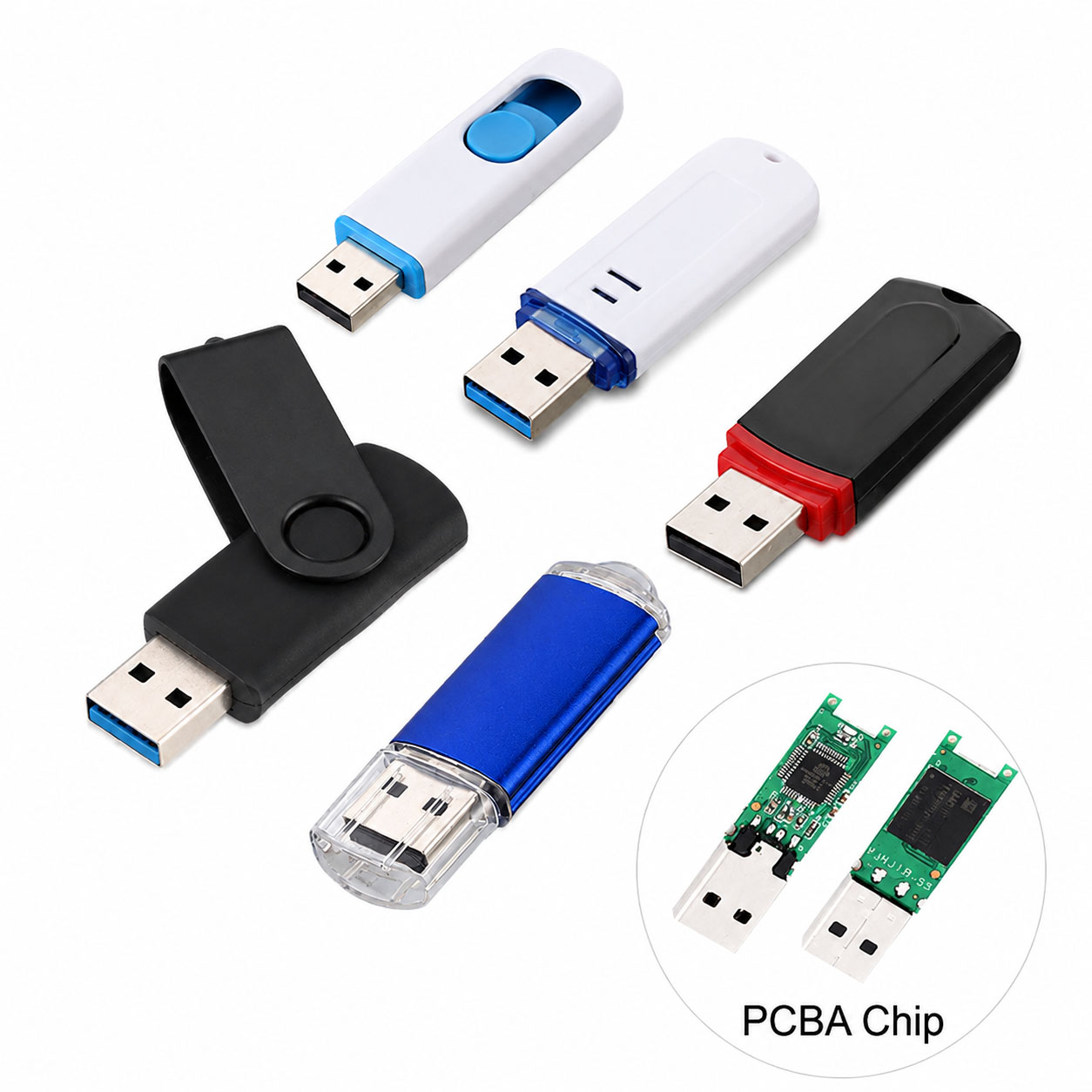
| PCB | Electrical stability |
| Connector | Physical connection |
| Thermal Design | Sustained transfer performance |
A USB-C connector does not automatically guarantee high speed. The complete NAND + controller + USB architecture determines actual performance.
Storage Supply Chain Advantages
For distributors and bulk buyers, a stable supply chain is essential for consistent USB flash drive quality.
| Supply Chain Capability | Buyer Benefit |
|---|---|
| Stable NAND Sourcing | Consistent quality |
| Controller Selection | Flexible performance/cost |
| NAND-Controller Matching | Better stability |
| Factory Testing | Lower defect risk |
| Multiple Capacities | Flexible product range |
| Stable Production | Reliable repeat orders |
| Packaging Resources | Faster OEM projects |
A professional storage supplier can optimize NAND, controller, PCB, connector, housing, and packaging according to the target market.
USB Flash Drive OEM & ODM
USB-C and dual-interface flash drives are suitable for OEM/ODM projects.
| Customization | Options |
|---|---|
| Logo | Printing / Laser engraving |
| Housing | Standard / Custom |
| Color | Custom colors |
| Capacity | 32GB–1TB+ depending on platform |
| Interface | USB-C / USB-A / Dual |
| Packaging | Box / Card / Blister |
| Data Loading | Available for suitable projects |
| QC | Customer-defined standards |
OEM manufacturers can provide an integrated process covering component sourcing → production → testing → packaging → bulk delivery.
Best USB Flash Drive for Phone Photo Transfer
| User Type | Recommended Drive |
|---|---|
| Android USB-C User | USB-C USB 3.x |
| USB-C iPhone User | USB-C USB 3.x |
| Lightning iPhone User | Lightning-compatible drive |
| Phone + PC User | Dual USB-C + USB-A |
| Professional Photographer | High-capacity, high-write-speed drive |
| Occasional Backup | 64GB–128GB USB drive |
Troubleshooting: Phone Cannot Detect USB Flash Drive
| Problem | Possible Solution |
|---|---|
| Drive Not Detected | Reconnect and check compatibility |
| Wrong Connector | Use the correct adapter |
| OTG Disabled | Enable OTG if required |
| Unsupported File System | Reformat using a compatible file system |
| Insufficient Power | Try a lower-power drive or powered adapter |
| iPhone Compatibility Issue | Use a compatible drive/adapter |
| Slow Transfer | Check USB protocol and write speed |
Always back up important data before reformatting a flash drive.
FAQ: Phone to USB Flash Drive
Can I transfer photos directly from my phone to a USB flash drive?
Yes. Compatible phones can transfer photos directly to a USB flash drive using a suitable USB-C, Lightning, or OTG connection.
Can I transfer photos from an iPhone to a USB flash drive?
Yes. USB-C iPhones can use compatible USB-C storage directly. Lightning iPhones generally require a compatible Lightning storage device or adapter.
What is the best USB flash drive for transferring phone photos?
For modern phones, a USB-C USB 3.x flash drive is a practical choice. For phone-to-PC workflows, a dual USB-C + USB-A drive provides greater flexibility.
Why is my USB flash drive slow when transferring photos?
Possible causes include low write speed, USB 2.0 limitations, many small files, low-quality NAND, controller limitations, or phone/adapter restrictions.
Can I transfer thousands of photos at once?
Yes, provided the phone, file system, flash drive capacity, and available storage support the transfer. For large batches, a high-capacity drive with good sustained write performance is recommended.
Can a USB-C flash drive work with both phones and computers?
Yes. USB-C drives work with compatible USB-C devices. A dual-interface USB-C + USB-A drive provides the widest practical connectivity.
How much storage do I need for phone photos?
64GB–128GB is suitable for many everyday users, while 256GB or more is better for large photo and video libraries.
Can USB flash drives be customized for brands?
Yes. OEM/ODM suppliers can customize logos, housing, colors, capacity, interfaces, packaging, and QC requirements according to project specifications.
What should B2B buyers ask a USB flash drive manufacturer?
Ask about NAND source, controller, actual read/write speed, capacity options, testing standards, MOQ, production capacity, OEM capabilities, lead time, and supply stability.
Final Takeaway
The simplest way to transfer photos from a modern phone is to use a compatible USB-C flash drive, while a dual USB-C + USB-A drive is ideal for moving photos between phones and computers.
For reliable long-term storage, focus on more than the connector. NAND quality, controller performance, real write speed, device compatibility, factory testing, supply-chain stability, and OEM capability all matter.