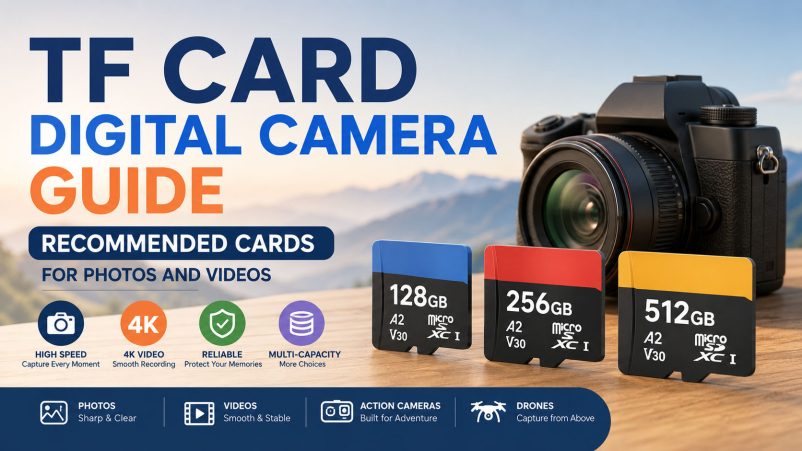
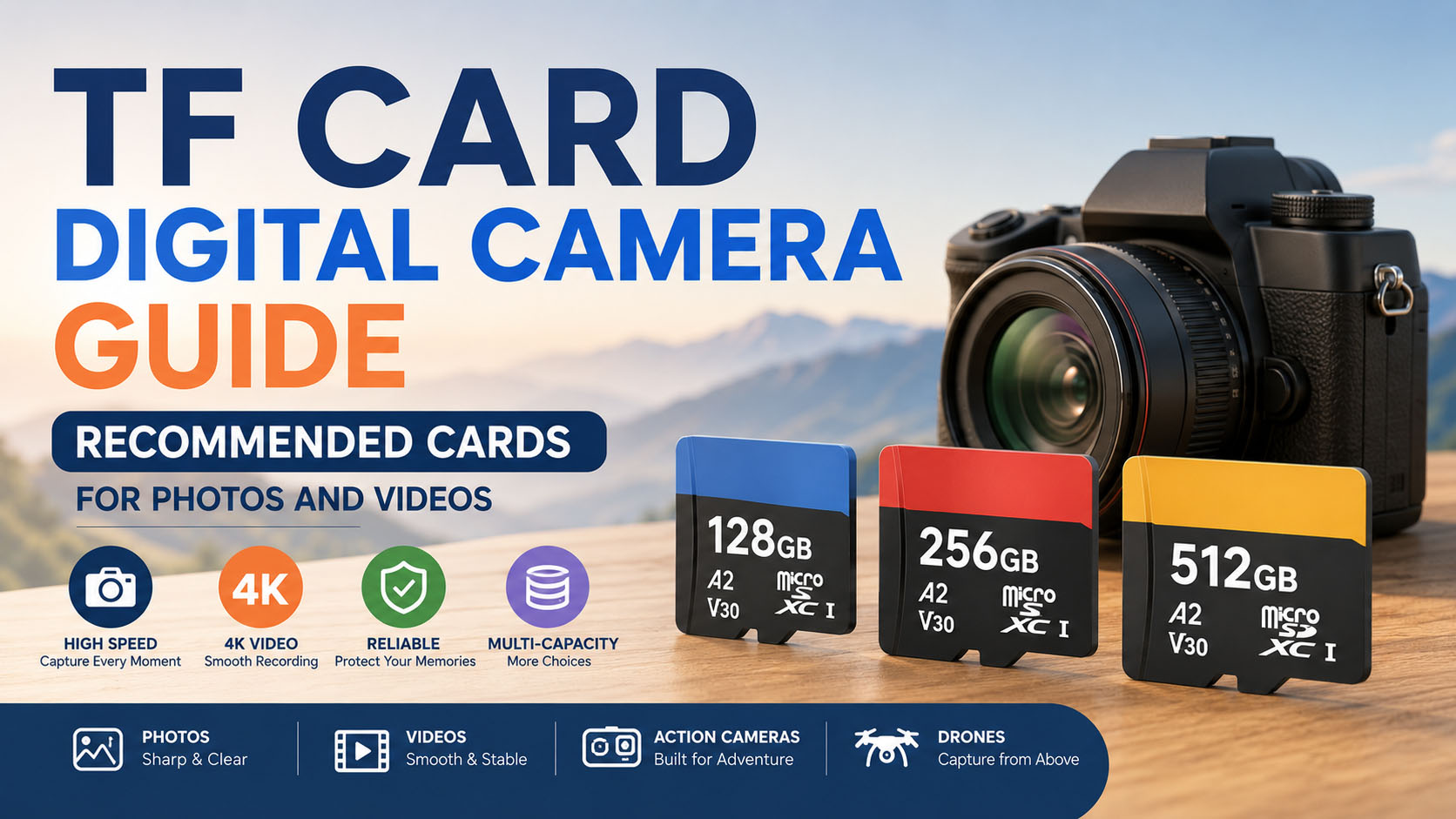
Choosing the right TF card for a digital camera is not simply about selecting the largest capacity or the lowest price. For photography and video recording, the right memory card needs to balance capacity, sustained write speed, speed class, interface, compatibility, endurance, reliability, and cost.
For consumers, camera accessory distributors, electronics retailers, camera brands, and OEM buyers, this guide explains how to choose the right TF card / microSD card for digital cameras, action cameras, drones, compact cameras, and video devices.
It also covers practical sourcing considerations, including NAND flash selection, controller matching, supply-chain advantages, OEM customization, quality control, and wholesale procurement.
Quick Answer: What Is the Best TF Card for a Digital Camera?
For most modern camera applications, 128GB or 256GB with U3/V30-class performance is a practical starting point, especially for 4K-capable devices.
However, the ideal card depends on the camera.
| Camera Application | Recommended Capacity | Recommended Performance | Main Priority |
|---|---|---|---|
| Basic digital camera | 32GB–64GB | Class 10 / U1 | Value + compatibility |
| Compact camera | 64GB–128GB | U1 / U3 | Photos + Full HD |
| Mirrorless camera | 128GB–256GB+ | U3 / V30 or higher | Burst + video |
| DSLR camera | 64GB–256GB+ | U3 / V30 or camera-specific | Burst + reliability |
| Action camera | 128GB–256GB | U3 / V30 | Sustained write |
| Drone camera | 128GB–512GB | U3 / V30 | 4K video + capacity |
| 4K video camera | 128GB–512GB | U3 / V30+ | Sustained write |
| Professional video | 256GB–1TB+ | V60/V90 or specified standard | High-bitrate recording |
| Long-duration recording | 256GB–1TB+ | Application-specific endurance | Capacity + durability |
Always check the camera manufacturer’s supported card type, maximum capacity, interface, and minimum performance requirements before purchasing.
Key takeaway: For camera storage, sustained write performance is usually more important than an impressive maximum read-speed number.
What Is a TF Card for a Digital Camera?
A TF card is the commonly used name for a microSD card. TF originally referred to TransFlash, while microSD became the standardized name used by the SD Association.
Because microSD cards are much smaller than standard SD cards, they are widely used in:
- Action cameras
- Drones
- Compact cameras
- Security cameras
- Portable video devices
- Smartphones
- Gaming devices
- Industrial equipment
Some digital cameras use a standard SD card slot rather than a microSD slot. In those cases, a TF/microSD card may be used with a suitable SD adapter only if the camera supports that configuration.
| Feature | TF / microSD | Standard SD |
|---|---|---|
| Physical size | Very small | Larger |
| Portability | Excellent | Good |
| Common camera applications | Action cameras, drones, compact devices | DSLR, mirrorless, professional cameras |
| Adapter | Can use SD adapter where supported | Not required |
| Capacity options | 32GB to 1TB+ depending on standard/product | 32GB to 1TB+ depending on standard/product |
| Best advantage | Compact size | Broad camera compatibility |
TF Card Capacity Guide for Digital Cameras
Capacity determines how many photos and how much video a card can store.
The best capacity depends on:
- Image resolution
- RAW vs JPEG
- Video resolution
- Video bitrate
- Frame rate
- Codec
- Recording duration
- Shooting frequency
- Backup strategy
32GB TF Card
32GB is suitable for entry-level and basic applications.
| Application | 32GB Suitability |
|---|---|
| Casual JPEG photography | Good |
| Basic compact camera | Good |
| Full HD video | Good |
| RAW photography | Limited |
| 4K video | Limited |
| Professional photography | Not recommended as the only card |
A 32GB card can still be useful as an entry-level SKU for price-sensitive customers.
64GB TF Card
64GB offers a good balance between price and storage for everyday photography.
| Application | 64GB Suitability |
|---|---|
| JPEG photography | Excellent |
| RAW photography | Good |
| Full HD video | Excellent |
| Short 4K sessions | Good |
| Long 4K sessions | Limited |
| Travel photography | Good |
For distributors, 64GB is often a useful entry-level product in a multi-capacity portfolio.
128GB TF Card
128GB is one of the most versatile capacities for camera applications.
It provides a strong balance between:
- Storage capacity
- Unit price
- Portability
- Performance
- Consumer demand
It is suitable for many:
- Digital cameras
- Action cameras
- Drones
- 4K video devices
- Camera accessories
- Consumer electronics products
256GB TF Card
256GB is better suited to users who regularly capture large amounts of data.
Typical applications include:
- 4K video
- RAW photography
- Sports photography
- Wildlife photography
- Drone footage
- Long travel shoots
- Content creation
For B2B sellers, 256GB can serve as the performance / premium capacity between mainstream 128GB and high-capacity 512GB products.
512GB TF Card
512GB provides substantial storage for high-volume photography and video.
However, buyers should check:
- Camera maximum supported capacity
- SDHC/SDXC/SDUC compatibility
- File-system compatibility
- Camera firmware
- Recording requirements
- Manufacturer-approved specifications
A card being technically available in a particular capacity does not mean every camera can use it.
Recommended TF Card Capacity by Photography Type
| Photography Type | Recommended Starting Capacity | Why |
|---|---|---|
| Casual photography | 32GB–64GB | Low storage requirement |
| Travel photography | 128GB | Good balance |
| Family events | 64GB–128GB | Moderate shooting |
| RAW photography | 128GB–256GB | Large file sizes |
| Sports photography | 128GB–512GB | Burst shooting |
| Wildlife photography | 128GB–512GB | High burst volume |
| Wedding photography | Multiple 128GB/256GB cards | Redundancy |
| Professional commercial work | 256GB–512GB+ | High data volume |
TF Card Speed Class for Cameras
Capacity tells you how much data the card stores.
Speed tells you how quickly the card can handle that data.
For cameras, this distinction is extremely important.
The SD ecosystem includes several performance classifications, including:
- Speed Class
- UHS Speed Class
- Video Speed Class
- Application Performance Class
| Rating | Minimum Sequential Write Class | Typical Camera Application |
|---|---|---|
| Class 10 | 10 MB/s | Basic photography/video |
| U1 | 10 MB/s | General camera use |
| U3 | 30 MB/s | Higher-performance recording |
| V30 | 30 MB/s | Mainstream 4K video |
| V60 | 60 MB/s | Higher-end video |
| V90 | 90 MB/s | Professional high-bitrate video |
Actual card performance depends on the NAND, controller, firmware, host device, workload, and testing conditions.
U1 vs U3 for Digital Cameras
| Feature | U1 | U3 |
|---|---|---|
| Minimum performance class | 10 MB/s | 30 MB/s |
| Casual photography | Excellent | Excellent |
| Full HD video | Good | Excellent |
| 4K video | Device-dependent | More suitable |
| Burst photography | Good | Better |
| Price | Lower | Higher |
| Best positioning | Entry/mainstream | Performance |
For modern 4K camera applications, U3 is generally a safer starting point than U1, but the camera manufacturer’s specification should always take priority.
V30 vs V60 vs V90
Video Speed Class is particularly useful when evaluating memory cards for video recording.
| Video Class | Minimum Sequential Write Class | Typical Position |
|---|---|---|
| V30 | 30 MB/s | Mainstream 4K |
| V60 | 60 MB/s | Professional video |
| V90 | 90 MB/s | High-end video |
A common mistake is to assume that V90 is always the best choice.
It isn’t.
If a camera only needs V30, buying a V90 card may increase the purchase cost without providing a meaningful improvement in the actual recording workflow.
Match the card to the camera rather than buying the highest specification automatically.
TF Card Read Speed vs Write Speed
One of the most important things to understand when purchasing a camera memory card is the difference between read speed and write speed.
| Performance | Main Function |
|---|---|
| Maximum read speed | Transfer photos/videos to a computer |
| Maximum write speed | Save data from camera to card |
| Sustained write speed | Continuous video recording |
| Random read/write | Application and file-access performance |
| Speed Class | Defines minimum sequential performance under the standard |
For photography:
Write performance affects how quickly the camera can clear its buffer.
For video:
Sustained write performance is critical for continuous recording.
For post-production:
Read speed affects file-transfer time.
Therefore, a card advertised with an extremely high read speed is not automatically the best card for recording 4K video.
Why Sustained Write Speed Matters
Imagine a camera recording high-bitrate 4K video.
The camera continuously generates data:
Camera → Image Processor → Buffer → TF Card
If the card cannot maintain the required write performance, the camera may experience recording limitations, buffer delays, or compatibility issues.
This is why professional memory-card evaluation should include:
- Sustained write testing
- Camera compatibility testing
- Long-duration recording
- Temperature testing where appropriate
- Capacity verification
- Batch consistency testing
Best TF Card for 4K Video
For many 4K applications, U3/V30 is a practical starting specification.
However, 4K is not a single performance requirement.
4K recording can vary considerably depending on:
- Bitrate
- Frame rate
- Codec
- Color depth
- Compression
- HDR
- Camera model
| Video Application | Recommended Starting Point |
|---|---|
| 1080p | C10 / U1 |
| Standard 4K | U3 / V30 |
| High-bitrate 4K | V30 / V60 depending on camera |
| Professional 4K | V60 / V90 depending on camera |
| 8K | Follow exact camera specification |
Best TF Card for Burst Photography
Burst photography creates a different workload from continuous video.
When a photographer takes many images quickly, the camera temporarily stores files in an internal buffer before writing them to the memory card.
A suitable high-performance card can help the camera clear this buffer more efficiently.
| Photography Type | Card Priority |
|---|---|
| Single JPEG photos | Reliability |
| RAW photography | Write performance |
| Sports | Sustained write |
| Wildlife | Sustained write + capacity |
| Wedding | Capacity + redundancy |
| Commercial shooting | Reliability + workflow |
However, card speed is not the only factor.
Actual burst performance also depends on:
- Camera processor
- Internal buffer
- RAW/JPEG settings
- Image resolution
- Firmware
- Card interface
- Controller
- NAND performance
UHS-I vs UHS-II for Camera Memory Cards
The bus interface determines how quickly the card and host device can communicate.
| Interface | Position | Typical Application |
|---|---|---|
| UHS-I | Mainstream | Action cameras, drones, consumer cameras |
| UHS-II | High performance | Professional photography/video |
| UHS-III | Specialized high performance | Professional applications |
| SD Express | Next-generation | Supported devices |
A faster interface only provides its full benefit when the camera supports it.
A UHS-II card in a UHS-I camera does not automatically turn the camera into a UHS-II system.
Recommended TF Card Specifications by Camera Type
| Camera Type | Capacity | Recommended Performance | Key Priority |
|---|---|---|---|
| Basic digital camera | 32GB–64GB | C10/U1 | Value |
| Compact camera | 64GB–128GB | U1/U3 | Compatibility |
| Entry mirrorless | 128GB–256GB | U3/V30 | General performance |
| DSLR | 64GB–256GB | U3/V30 | Burst + reliability |
| Action camera | 128GB–256GB | U3/V30 | Sustained write |
| Drone | 128GB–512GB | U3/V30 | 4K recording |
| 4K camera | 128GB–512GB | U3/V30+ | Sustained write |
| Professional video | 256GB–1TB+ | V60/V90 as required | High bitrate |
These are general starting points rather than universal compatibility specifications.
How to Choose a TF Card for Photos
If your main purpose is photography, use this simple framework:
| Requirement | Recommended Direction |
|---|---|
| Casual JPEG | 32GB–64GB |
| Travel | 128GB |
| RAW | 128GB–256GB |
| Burst shooting | 128GB–512GB |
| Professional photography | 256GB–512GB+ |
| Long shooting sessions | Multiple cards |
For professional photography, using several cards can also improve data redundancy.
Instead of putting an entire event on one high-capacity card, photographers may prefer several cards and a structured backup workflow.
How to Choose a TF Card for Video
For video, prioritize:
- Camera compatibility
- Sustained write performance
- Required speed class
- Capacity
- Reliability
- Temperature/environment requirements
| Video Type | Capacity | Performance |
|---|---|---|
| Full HD | 32GB–64GB | C10/U1 |
| 4K entry | 64GB–128GB | U3/V30 |
| 4K mainstream | 128GB–256GB | U3/V30 |
| 4K professional | 256GB–512GB+ | V60/V90 as required |
| Long-duration 4K | 256GB–1TB+ | Performance + endurance |
How Much Video Can a TF Card Store?
Actual recording time varies greatly according to bitrate.
A useful approximation is:
Recording Time ≈ Usable Capacity ÷ Video Bitrate
For example, higher-bitrate 4K footage consumes storage much faster than compressed Full HD video.
| Capacity | Low-Bitrate Video | High-Bitrate Video |
|---|---|---|
| 64GB | Longer | Shorter |
| 128GB | Longer | Moderate |
| 256GB | Very long | Long |
| 512GB | Extremely long | Very long |
| 1TB | Maximum | Very high |
For product marketing, it is better to avoid promising a fixed number of recording hours unless the video bitrate and recording settings are clearly specified.
Why Two 128GB TF Cards Can Have Different Performance
Two cards may have exactly the same printed capacity but significantly different internal configurations.
| Component | Standard Product | Higher-Spec Product |
|---|---|---|
| NAND | Standard flash | Selected / qualified flash |
| Controller | Standard | Performance-oriented |
| Firmware | Standard | Application-tuned |
| Sustained write | Standard | Higher |
| Random performance | Standard | Enhanced |
| Endurance | Standard | Application-specific |
| Testing | Standard QC | Expanded QC |
| Compatibility | General | Target-device tested |
| Target market | Consumer | Professional/OEM |
This is why experienced buyers compare the complete specification rather than capacity alone.
NAND Flash: The Core of a TF Card
NAND flash is the primary non-volatile storage component inside a memory card.
From a sourcing perspective, NAND selection can influence:
- Cost
- Capacity
- Performance
- Endurance
- Consistency
- Supply stability
Different NAND configurations can produce different performance and cost structures even when two products have the same nominal capacity.
For OEM projects, the goal is usually not simply to find the cheapest NAND available, but to identify a stable NAND/controller combination that meets the application’s performance and reliability requirements.
Controller Selection for Camera TF Cards
The controller is another critical component.
It manages communication between the NAND flash and the host device.
| Controller Consideration | Why It Matters |
|---|---|
| Host compatibility | Ensures communication with camera |
| Flash compatibility | Must match NAND configuration |
| Performance | Affects read/write behavior |
| Firmware | Controls memory management |
| Error correction | Helps maintain data integrity |
| Wear management | Important for repeated writes |
| Stability | Influences batch consistency |
For OEM camera memory cards, controller selection should therefore be considered together with NAND rather than treated as an independent specification.
Camera TF Card Supply Chain Advantages
For B2B customers, supply-chain capability can directly influence the long-term competitiveness of a memory-card product.
A capable supplier should ideally support:
- Stable NAND sourcing
- Multiple component channels
- Controller matching
- Capacity planning
- Firmware configuration
- Performance testing
- Camera compatibility testing
- Batch traceability
- OEM packaging
- Private-label printing
- Production scheduling
- Logistics coordination
- Long-term replenishment
Supply Chain Advantages for Wholesale Buyers
| Supply-Chain Capability | Buyer Benefit |
|---|---|
| Stable NAND sourcing | Reduces supply disruption |
| Multiple sourcing channels | Improves purchasing flexibility |
| Controller matching | Better application compatibility |
| Component qualification | Better batch consistency |
| Production planning | More predictable lead times |
| Batch traceability | Easier quality management |
| Performance testing | Reduces defective products |
| Flexible capacity | Supports different SKUs |
| Packaging supply chain | Faster OEM launch |
| Long-term planning | Supports repeat orders |
For distributors, the benefit is not simply a lower purchase price.
The larger advantage is predictable product quality + predictable supply + predictable cost.
OEM TF Card Solutions for Camera Brands
Camera accessory brands can use OEM services to develop private-label memory cards rather than selling generic products.
OEM Customization Options
| OEM Item | Available Options |
|---|---|
| Capacity | 32GB / 64GB / 128GB / 256GB / 512GB / 1TB+ |
| Performance | C10 / U1 / U3 / V30 / V60 / V90 |
| Interface | UHS-I / UHS-II where applicable |
| Label | Brand logo + specifications |
| Card color | Customized according to project |
| Packaging | Blister / box / paper card / bulk |
| Barcode | Customized |
| Serial number | Project-dependent |
| User manual | Customized |
| Warranty card | Customized |
| Adapter | Optional |
| Retail design | Private label |
OEM Camera TF Card Development Process
| Stage | Development Process |
|---|---|
| 1 | Define target camera/application |
| 2 | Confirm capacity |
| 3 | Define write-performance requirement |
| 4 | Select NAND |
| 5 | Match controller |
| 6 | Develop samples |
| 7 | Perform capacity testing |
| 8 | Perform speed testing |
| 9 | Test target cameras |
| 10 | Confirm label design |
| 11 | Confirm packaging |
| 12 | Pilot production |
| 13 | Batch QC |
| 14 | Mass production |
| 15 | Shipment |
| 16 | After-sales support |
This process is particularly valuable when a brand needs the same specification to remain stable across repeated production batches.
OEM Product Portfolio for Camera Accessories
A strong camera-memory product line can cover several price and performance tiers.
| Product Tier | Capacity | Performance | Target Customer |
|---|---|---|---|
| Entry | 32GB / 64GB | C10/U1 | Budget users |
| Mainstream | 128GB | U3/V30 | Everyday camera users |
| Performance | 128GB / 256GB | U3/V30 | 4K users |
| Premium | 256GB / 512GB | V60/V90 where required | Professional users |
| High Capacity | 512GB / 1TB+ | Application-specific | Heavy storage users |
This good-better-best structure allows distributors to serve multiple customer segments without creating an unnecessarily complicated product range.
Camera TF Card Quality Control
A reliable memory-card QC process should verify more than whether the card can be detected by a computer.
| QC Test | Purpose |
|---|---|
| Capacity verification | Confirm actual storage capacity |
| Sequential read test | Verify read performance |
| Sequential write test | Verify write performance |
| Sustained write test | Evaluate recording stability |
| Speed-class verification | Confirm product specification |
| Random performance | Evaluate workload performance |
| File-system test | Check formatting behavior |
| Camera compatibility test | Validate target devices |
| Long-duration recording | Evaluate continuous operation |
| Aging / burn-in | Identify unstable units |
| Appearance inspection | Check physical quality |
| Label inspection | Verify branding |
| Packaging inspection | Prevent shipping errors |
| Batch traceability | Support quality analysis |
For camera applications, target-device testing is particularly valuable because a card that performs well in a generic benchmark may behave differently in a specific camera.
High-Endurance TF Cards for Cameras
Not every camera requires an endurance-focused card.
However, endurance becomes increasingly important for devices that repeatedly write and overwrite data.
| Application | Endurance Priority |
|---|---|
| Casual photography | Low |
| Travel photography | Low–Medium |
| RAW photography | Medium |
| Action camera | Medium |
| Drone | Medium |
| Dash cam | High |
| Security camera | Very High |
| Continuous video recording | High |
For continuously recording devices, buyers should evaluate endurance as a separate specification rather than assuming that a higher-capacity card is automatically more durable.
How to Compare Wholesale TF Card Quotations
A professional RFQ should contain enough information to make supplier quotations comparable.
| RFQ Requirement | Example |
|---|---|
| Product | TF / microSD camera card |
| Capacity | 128GB |
| Application | Digital camera |
| Video | 4K |
| Speed class | U3 / V30 |
| Interface | UHS-I |
| Read speed | Supplier recommendation |
| Sustained write | Required |
| Endurance | Standard |
| Brand | Private label |
| Packaging | Customized retail box |
| Quantity | 10,000 pcs |
| Target market | USA |
| QC | Capacity + speed + camera test |
| Delivery | Required date |
Why Detailed RFQs Matter
Compare these two quotations:
Supplier A:
“128GB TF Card — $X”
Supplier B:
“128GB microSDXC, U3/V30, specified sustained write performance, target-camera compatibility testing, customized label, retail packaging, batch QC — $Y”
These two prices are not necessarily comparable.
For B2B procurement, the second quotation provides much more information about what you are actually buying.
TF Card Total Cost of Ownership
The cheapest card is not always the cheapest product to sell.
A better purchasing model is:
Total Cost of Ownership = Product Cost + Logistics + QC + Failure Cost + Replacement Cost + Warranty Cost + After-Sales Cost
| Cost Factor | Low-Price Generic Card | Stable OEM Product |
|---|---|---|
| Initial unit cost | Lower | Medium |
| Quality-control cost | Potentially higher | Controlled |
| Failure risk | Potentially higher | Lower |
| Replacement cost | Higher | Lower |
| Customer complaints | Potentially higher | Lower |
| Brand risk | Higher | Lower |
| Supply consistency | Uncertain | Better |
| Long-term value | Variable | Higher |
For a distributor selling thousands of cards, a small difference in unit price can be less important than consistent quality and low return rates.
How to Choose a TF Card Supplier
Price should be only one part of the supplier evaluation.
| Evaluation Category | What to Ask |
|---|---|
| NAND sourcing | What type of NAND is used? |
| Controller | Which controller configuration is used? |
| Performance | What are the actual read/write results? |
| Sustained write | Has continuous writing been tested? |
| Compatibility | Has the card been tested with target cameras? |
| QC | What tests are performed? |
| OEM | Can labels and packaging be customized? |
| MOQ | What is the MOQ? |
| Lead time | What is the standard production lead time? |
| Capacity range | Can multiple capacities be supplied? |
| Consistency | Can the BOM remain stable? |
| Warranty | What after-sales support is provided? |
Common TF Card Buying Mistakes
| Mistake | Problem | Better Solution |
|---|---|---|
| Choosing only by capacity | Capacity does not guarantee speed | Check speed class |
| Choosing only by read speed | Recording depends on writing | Check sustained write |
| Buying the fastest card | May exceed camera requirements | Match camera specification |
| Ignoring compatibility | Card may not be supported | Check camera manual |
| Choosing the cheapest product | Quality can vary | Evaluate QC |
| Buying one huge card | Creates concentration risk | Consider multiple cards |
| Ignoring endurance | Repeated writes can stress flash | Match workload |
| Skipping camera testing | Generic benchmarks may mislead | Test target cameras |
| Changing components between batches | Product behavior can vary | Require stable specification |
Best TF Card by Camera Use Case
| Use Case | Recommended Capacity | Recommended Performance | Main Priority |
|---|---|---|---|
| Family photos | 64GB–128GB | U1/U3 | Value |
| Travel photography | 128GB–256GB | U3/V30 | Capacity |
| RAW photography | 128GB–512GB | High write performance | Buffer clearing |
| Sports | 128GB–512GB | U3/V30+ | Burst |
| Wildlife | 128GB–512GB | U3/V30+ | Burst + capacity |
| 4K action camera | 128GB–256GB | U3/V30 | Sustained write |
| Drone | 128GB–512GB | U3/V30 | Video |
| Professional video | 256GB–1TB+ | V60/V90 as required | High bitrate |
| Long-duration recording | 256GB–1TB+ | Endurance-focused | Reliability |
FAQ: TF Card for Digital Camera
Is a TF card the same as a microSD card?
Yes. TF card is the commonly used name associated with the original TransFlash format, while microSD is the standardized name used today.
Can I use a TF card in a digital camera?
Only if the camera supports microSD/TF cards directly or supports a suitable microSD-to-SD adapter. Always check the camera’s specifications.
What is the best TF card capacity for a digital camera?
For many users, 128GB is an excellent starting point. 256GB is more suitable for frequent video recording, RAW photography, and long shooting sessions.
Is 64GB enough for a digital camera?
Yes, for casual photography and moderate video recording. Users shooting large RAW files or high-bitrate 4K video may benefit from 128GB or 256GB.
Is 128GB or 256GB better for cameras?
Neither is universally better.
| User | Better Starting Point |
|---|---|
| Casual photographer | 64GB–128GB |
| Travel photographer | 128GB |
| RAW photographer | 128GB–256GB |
| 4K video user | 128GB–256GB |
| Professional shooter | 256GB–512GB+ |
What is the best TF card for 4K video?
A U3/V30 card is a common starting point for mainstream 4K recording, but the exact requirement depends on the camera’s bitrate, codec, frame rate, and manufacturer specification.
Is V30 enough for 4K?
For many mainstream 4K cameras and action cameras, V30 can be suitable. High-bitrate professional recording may require V60 or V90.
Is U3 better than U1?
U3 provides a higher minimum sequential write-performance class than U1 and is generally more appropriate for demanding video recording.
Does a faster TF card make a camera faster?
It can help with buffer clearing and file transfer when the camera supports the card’s performance level, but camera processor, buffer size, firmware, and interface also affect overall performance.
Is read speed or write speed more important for video?
Write speed is generally more important during recording. Sustained write performance is especially important for continuous video.
Can I use a 512GB TF card in a digital camera?
Only if the camera supports that capacity. The card’s capacity standard alone does not guarantee compatibility with every camera.
Is a high-endurance TF card necessary for photography?
Usually not for ordinary photography. Endurance becomes more important for continuous or repeated recording and overwrite workloads.
Should professional photographers use multiple memory cards?
Using multiple cards can reduce the risk of losing an entire shoot if one card has a problem. Professional workflows should also include appropriate backups.
Can TF cards be customized with my company logo?
Yes. OEM/private-label memory cards can typically be customized with branding, capacity combinations, labels, packaging, barcodes, manuals, and other project requirements.
Can an OEM supplier provide multiple capacities?
Yes. A supplier can build a multi-SKU portfolio such as 64GB, 128GB, 256GB and 512GB under the same brand.
What MOQ is required for OEM TF cards?
MOQ varies according to capacity, performance, NAND availability, label printing, packaging, and customization requirements. Standard products generally offer more flexible quantities than fully customized products.
How can I get a better wholesale price?
Provide the supplier with:
- Target capacity
- Camera/application
- Speed class
- Required sustained write performance
- Order quantity
- Packaging requirements
- Target market
- Annual demand
- QC requirements
This gives the supplier more room to optimize component sourcing and production planning.
TF Card Buyer Checklist for Digital Cameras
| Before Ordering | Confirm |
|---|---|
| Camera model | ✓ |
| TF/microSD or SD slot | ✓ |
| Maximum capacity | ✓ |
| SDHC/SDXC compatibility | ✓ |
| UHS-I/UHS-II | ✓ |
| U1/U3 | ✓ |
| V30/V60/V90 | ✓ |
| Read speed | ✓ |
| Sustained write speed | ✓ |
| Recording bitrate | ✓ |
| Endurance requirement | ✓ |
| Camera compatibility test | ✓ |
| Capacity verification | ✓ |
| Performance QC | ✓ |
| NAND/controller consistency | ✓ |
| OEM logo | ✓ |
| Packaging | ✓ |
| MOQ | ✓ |
| Lead time | ✓ |
| Warranty | ✓ |
Final Recommendation: How to Choose the Best TF Card for Photos and Videos
The best TF card for a digital camera is the one that matches the camera’s actual requirements, not necessarily the card with the largest capacity or highest advertised speed.
For most mainstream applications:
| Application | Practical Starting Recommendation |
|---|---|
| Casual photography | 64GB–128GB |
| Travel photography | 128GB |
| RAW photography | 128GB–256GB |
| Action camera | 128GB–256GB U3/V30 |
| Drone | 128GB–512GB U3/V30 |
| Mainstream 4K | 128GB–256GB U3/V30 |
| Professional video | 256GB–1TB+ V60/V90 as required |
| Continuous recording | Endurance-focused specification |
For B2B buyers, however, selecting the right card is only the beginning.
A competitive camera-memory-card program should combine:
Suitable NAND + matched controller + stable supply chain + verified performance + camera compatibility testing + consistent QC + OEM customization + reliable after-sales support.
This is especially important for distributors and brands that need to maintain the same product specification over multiple production batches.
Why Supply Chain and OEM Capability Matter
| Requirement | Supplier Capability | Business Value |
|---|---|---|
| Stable NAND sourcing | Qualified component channels | Supply stability |
| Controller matching | Application-specific selection | Better compatibility |
| Performance tuning | Firmware + hardware optimization | Consistent performance |
| Capacity range | 32GB–1TB+ options | Complete product portfolio |
| OEM label | Private-label printing | Brand development |
| OEM packaging | Customized retail packaging | Retail readiness |
| Camera testing | Target-device testing | Lower compatibility risk |
| Batch QC | Capacity + performance verification | Consistent quality |
| Production planning | Repeat-order management | Reliable replenishment |
| Logistics | Coordinated international shipping | Lower procurement workload |
The bottom line: When choosing a TF card for digital cameras, compare capacity, sustained write performance, speed class, interface, compatibility, endurance, and reliability rather than looking at price or advertised read speed alone.
For wholesalers, distributors, camera accessory brands, and OEM buyers, the strongest solution combines competitive component sourcing, stable supply, professional QC, camera compatibility testing, private-label customization, and long-term production support.
That approach turns a generic TF card into a dependable camera storage solution for photos, 4K video, action cameras, drones, and professional imaging applications.