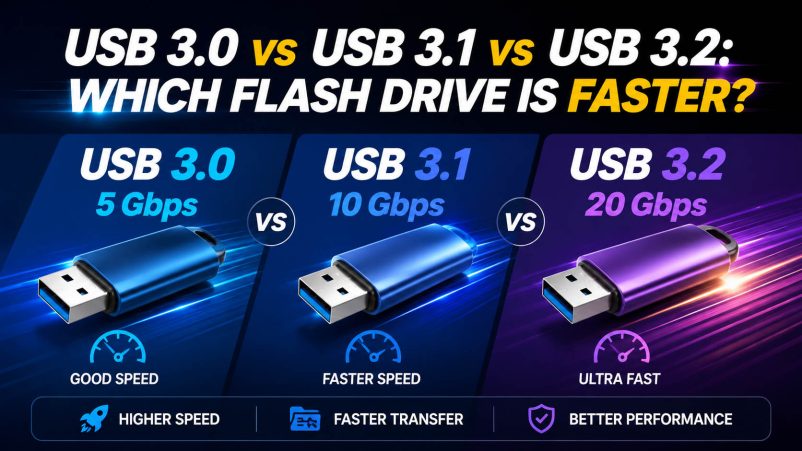
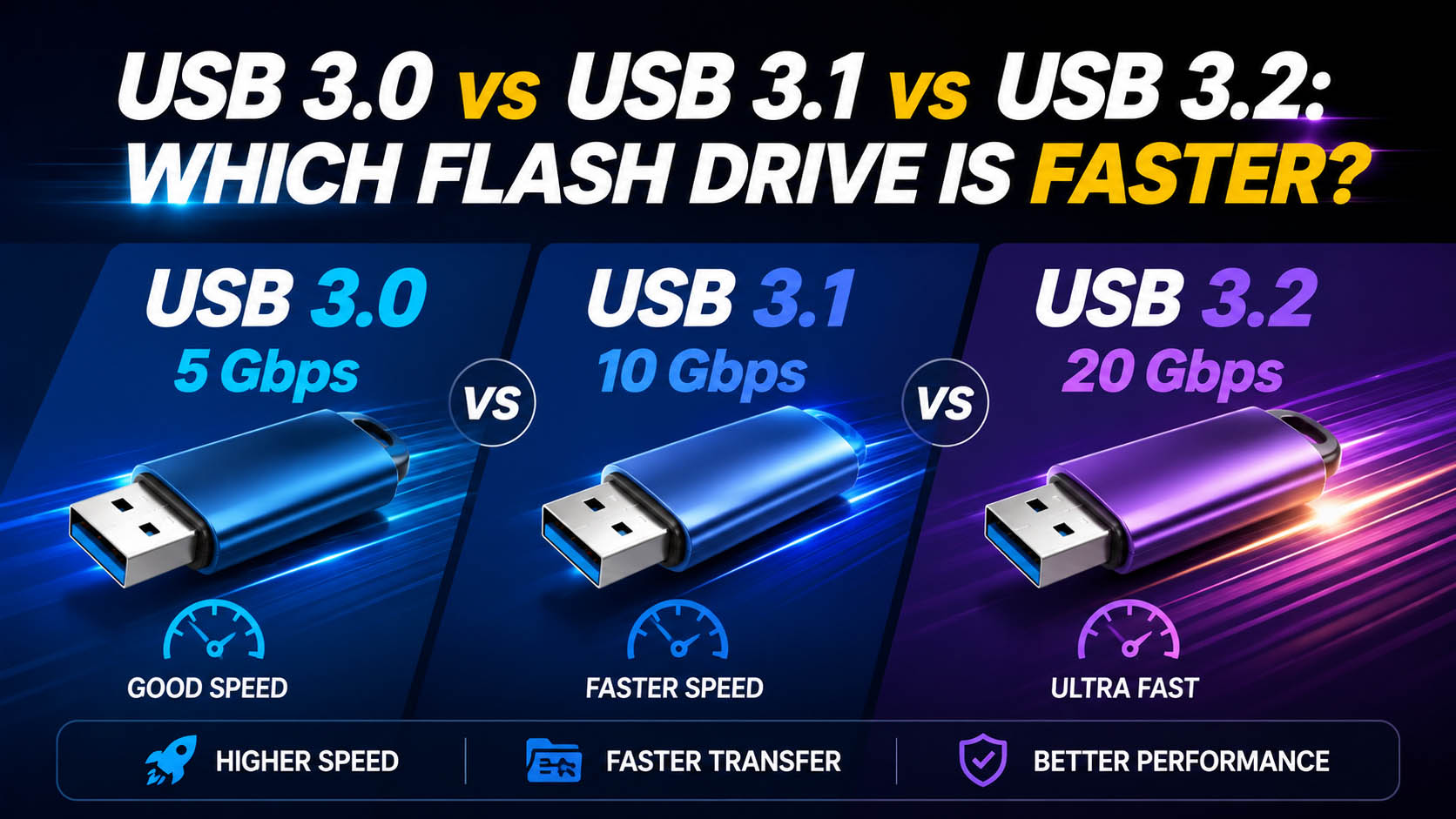
For USB flash drives, the simple answer is:
USB 3.2 Gen 2×2 can be the fastest, followed by USB 3.1 Gen 2 / USB 3.2 Gen 2, while USB 3.0 and USB 3.1 Gen 1 are typically 5 Gbps-class interfaces.
However, the USB version alone does not determine actual flash drive speed. NAND flash, controller, firmware, thermal design, and host-device compatibility also matter.
USB 3.0 vs USB 3.1 vs USB 3.2 Speed Comparison
| USB Specification | Common Naming | Theoretical Bandwidth | Typical Application |
|---|---|---|---|
| USB 3.0 | USB 3.1 Gen 1 / USB 3.2 Gen 1 | 5 Gbps | General storage |
| USB 3.1 Gen 2 | USB 3.2 Gen 2 | 10 Gbps | Fast file transfer |
| USB 3.2 Gen 2×2 | USB 3.2 Gen 2×2 | 20 Gbps | High-performance storage |
Important: USB 3.0 was later incorporated into newer naming schemes. This is why product listings may use different names for the same 5 Gbps-class capability.
Which USB Flash Drive Is Actually Faster?
| Interface | Theoretical Speed | Best For |
|---|---|---|
| USB 3.0 / 3.1 Gen 1 | 5 Gbps | Documents, photos, everyday files |
| USB 3.1 Gen 2 | 10 Gbps | Large videos and backups |
| USB 3.2 Gen 2×2 | 20 Gbps | Professional large-file transfers |
For most buyers, USB 3.1 Gen 2 / USB 3.2 Gen 2 offers a strong balance between performance and product cost. USB 3.2 Gen 2×2 is more suitable for premium, high-performance storage products.
USB Interface Speed vs Actual Flash Drive Speed
A 10 Gbps interface does not automatically mean the flash drive will deliver 10 Gbps.
| Factor | Impact |
|---|---|
| NAND Flash | Determines sustained read/write capability |
| Controller IC | Manages data transfer and flash performance |
| Firmware | Optimizes storage performance |
| USB Interface | Sets connection bandwidth |
| Thermal Design | Helps maintain sustained performance |
| Host Device | May limit actual speed |
| File Size | Large sequential files usually transfer more efficiently |
For B2B purchasing, always evaluate tested read/write speeds rather than relying only on the USB version.
What USB Flash Drive Speed Do You Need?
| Usage | Recommended Interface |
|---|---|
| Documents | USB 3.0 |
| Office Files | USB 3.0 |
| Photos | USB 3.0 |
| HD Video | USB 3.0 |
| 4K Video | USB 3.1 Gen 2 / USB 3.2 Gen 2 |
| Large Backups | USB 3.1 Gen 2 or faster |
| Professional Media | USB 3.2 Gen 2×2 |
Does USB 3.2 Always Mean 20 Gbps?
No.
USB 3.2 includes multiple speed levels.
| Marketing Name | Speed |
|---|---|
| USB 3.2 Gen 1 | 5 Gbps |
| USB 3.2 Gen 2 | 10 Gbps |
| USB 3.2 Gen 2×2 | 20 Gbps |
Therefore, when sourcing USB flash drives, buyers should confirm the exact USB generation and speed specification, rather than purchasing based only on the term “USB 3.2.”
What Makes a High-Quality Fast USB Flash Drive?
A high-speed USB flash drive requires a properly matched storage architecture.
| Component | Key Requirement |
|---|---|
| NAND Flash | Reliable, consistent flash memory |
| Controller | Suitable high-speed controller |
| PCB | Stable signal and power design |
| Firmware | Optimized read/write management |
| Connector | Reliable USB connection |
| Thermal Design | Stable sustained performance |
| QC | Capacity and speed verification |
This is especially important for 256GB, 512GB and 1TB USB flash drives, where sustained write performance can become more important than peak interface speed.
Supply Chain Advantages for USB Flash Drive Procurement
A strong storage supply chain helps manufacturers balance capacity, speed, quality and cost.
| Supply Chain Capability | Customer Benefit |
|---|---|
| Stable NAND Resources | Consistent product quality |
| Controller Matching | Better performance optimization |
| Multiple Capacity Options | Flexible product portfolio |
| Factory Production | Stable bulk supply |
| Component QC | Reduced quality risk |
| Performance Testing | Verified product specifications |
For large-volume buyers, a supplier with direct manufacturing and component sourcing capabilities can provide more flexibility than a simple trading supplier.
OEM & ODM USB Flash Drive Solutions
Fast USB flash drives can be customized for retail brands, corporate gifts, distributors and professional storage products.
| OEM/ODM Option | Customization |
|---|---|
| USB Interface | USB 3.0 / 3.1 / 3.2 |
| Capacity | 32GB-1TB+ |
| Housing | Plastic / metal / custom |
| Logo | Printing / laser engraving |
| Color | Custom colors |
| Shape | Standard / custom design |
| Packaging | Retail / gift packaging |
| Performance | Customized speed requirements |
For OEM projects, manufacturers can select the NAND + controller + interface combination according to the target performance and cost.
USB 3.0 vs USB 3.1 vs USB 3.2: Which Should You Buy?
| Priority | Recommended Choice |
|---|---|
| Lowest Cost | USB 3.0 |
| Everyday Storage | USB 3.0 |
| Large File Transfer | USB 3.1 Gen 2 |
| 4K Video | USB 3.1 Gen 2 / USB 3.2 Gen 2 |
| Premium Performance | USB 3.2 Gen 2×2 |
| B2B Promotional Products | USB 3.0 / USB 3.1 |
| Professional Storage | USB 3.2 Gen 2 / Gen 2×2 |
FAQ About USB 3.0, USB 3.1 and USB 3.2 Flash Drives
Q1: Is USB 3.2 faster than USB 3.0?
It depends on the USB 3.2 generation. USB 3.2 Gen 1 is 5 Gbps, while USB 3.2 Gen 2 is 10 Gbps and Gen 2×2 reaches 20 Gbps.
Q2: Is USB 3.1 the same as USB 3.0?
Not exactly. USB 3.1 Gen 1 provides 5 Gbps and is essentially the same speed class as USB 3.0. USB 3.1 Gen 2 increases the theoretical bandwidth to 10 Gbps.
Q3: Is USB 3.2 Gen 2×2 the fastest option?
Among the USB 3.x specifications commonly used for external storage, USB 3.2 Gen 2×2 provides up to 20 Gbps theoretical bandwidth.
Q4: Will a USB 3.2 flash drive work with a USB 3.0 port?
Generally, yes. USB devices are designed with backward compatibility in mind, but the actual transfer speed will be limited by the slower connection.
Q5: Does a higher USB version guarantee faster file transfer?
No. Actual performance depends on the NAND flash, controller, firmware, host interface, thermal conditions and workload.
Q6: Which USB interface is best for OEM flash drives?
| Target Product | Recommended |
|---|---|
| Budget Promotional Drive | USB 3.0 |
| Mainstream Retail | USB 3.0 / USB 3.1 Gen 2 |
| Premium Retail | USB 3.1 Gen 2 / USB 3.2 Gen 2 |
| High-Performance Storage | USB 3.2 Gen 2×2 |
Conclusion
USB 3.0 = 5 Gbps, USB 3.1 Gen 2 = 10 Gbps, and USB 3.2 Gen 2×2 = 20 Gbps theoretical bandwidth.
For most USB flash drive applications, USB 3.1 Gen 2 / USB 3.2 Gen 2 provides an effective balance of speed and cost. For premium high-performance products, USB 3.2 Gen 2×2 offers greater bandwidth.
For B2B buyers, the best solution should combine NAND quality, controller selection, real-world speed testing, stable supply chain resources, QC capability, and OEM/ODM support rather than focusing only on the USB version.